Guide · September 4, 2026
AI content moderation for social media: 2026 guide
How AI content moderation for social media works, what to look for in a tool, and how approval workflows stop bad posts before they go live.
 By Jaime · Co-founder of Quetzal

AI content moderation for social media is the use of machine learning models to automatically review text, images, video and comments before or after they're published, flagging or blocking anything that violates a platform's rules or a brand's own guidelines.
It covers two distinct jobs: screening what your audience posts at you (comments, DMs, user-generated content) and screening what your brand posts out (captions, ads, visuals).
Most teams need both, but the tools that handle them are often different.
For outbound brand safety, Quetzal solves quality control by generating posts directly within your visual identity, using your logo, palette, fonts and product photos. Teams keep full control by choosing between autonomous publishing and reviewing each post before it goes live.
You can try it free on your own website to see how automated, guideline-compliant social media works in practice.
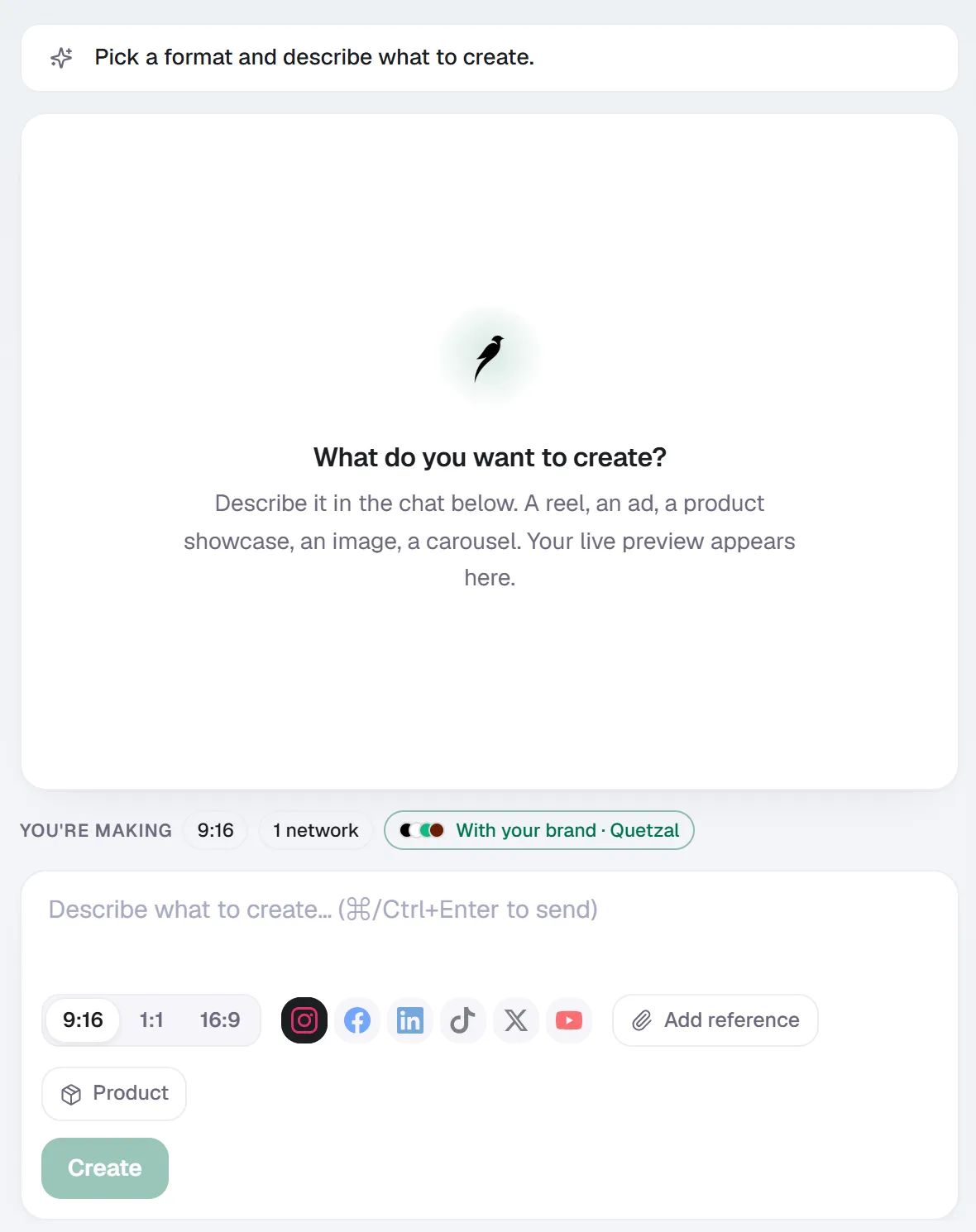
Create in Quetzal: describe the piece in a sentence, pick the format and the networks, and it is made with your brand applied.
What is AI content moderation for social media?
At its core, AI content moderation is pattern recognition applied to content at a speed no human team can match.
A model trained on millions of labeled examples scores new text or images for things like hate speech, spam, nudity, violence, harassment, or policy violations specific to a platform (Meta, TikTok and YouTube each publish their own community standards).
The model returns a confidence score, and content above a threshold gets removed, hidden, or sent to a human for review.
For brands, the term has expanded beyond "removing bad comments." It now also covers pre-publication checks:
- Does this caption use a banned word?
- Does this image contain a competitor's logo?
- Does this ad copy make a claim the legal team hasn't approved?
That second category is often called brand safety or content governance rather than moderation, but functionally it's the same technology solving a similar problem from the other direction.
How does AI content moderation actually work?
Three technical components typically do the work:
- Natural language processing (NLP) classifiers score text for toxicity, spam patterns, banned phrases and sentiment. These are the models behind comment filters on Instagram and YouTube.
- Computer vision models scan images and video frames for nudity, violence, weapons, logos and other visual signals, usually running at upload or at scheduled-post time.
- Human-in-the-loop review catches what the models flag as uncertain.
No moderation system runs on pure automation in 2026. Edge cases (satire, reclaimed slurs, regional slang, cultural context) still need a person, and most serious platforms are built around a queue where AI does the sorting and a human makes the final call on ambiguous items.
The practical result is a pipeline:
- Content comes in
- It gets scored
- It either passes automatically, gets auto-rejected, or lands in a review queue ranked by risk
The same architecture works whether the "content" is an incoming comment or an outgoing post waiting for approval.
Inbound moderation vs outbound quality control
This distinction matters more than most buying guides admit, because it changes which tool you actually need.
Inbound moderation deals with what other people post on your channels: comments, replies, tags, DMs. You need this if you run high-volume pages, communities, or paid campaigns that attract spam and abuse.
Native platform tools (Meta's keyword filters, YouTube's comment moderation settings) cover the basics for free; dedicated moderation vendors add cross-platform dashboards, custom keyword lists and escalation workflows.
Outbound quality control deals with what your brand publishes.
This is less about catching hate speech (you presumably aren't posting it) and more about catching mistakes before they go live:
- An off-brand tone
- A claim that isn't backed by legal
- A visual that doesn't match your identity guidelines
- A caption scheduled to the wrong market
This is where approval workflows inside social media management and AI content tools do the heavy lifting. It's a category that's grown fast as more of the content itself is AI-generated and needs a checkpoint before publishing.
Quetzal, the AI social media autopilot built in Málaga, sits in this second category. It generates designed posts, ads, carousels, infographics, stories and captions in a brand's own visual identity, and every piece can either publish automatically under standing brand guidelines or wait for per-post approval, whichever the customer chooses.
That approval step functions as outbound content moderation: nothing reaches Instagram, Facebook, LinkedIn, TikTok, X or YouTube without either passing the guidelines it was built on or getting a human sign-off first.
It doesn't moderate incoming comments, so if community moderation is your main problem, you'll want a tool built for that specifically.
What should you look for in an AI content moderation tool?
The right feature set depends entirely on which side of the moderation problem you're solving.
For inbound comment and UGC moderation, prioritize:
- Coverage of the platforms you actually run (Instagram and TikTok comment structures differ from YouTube's)
- Custom keyword and phrase lists in your own language, not just English defaults
- Adjustable sensitivity so you don't over-block harmless comments
- An escalation queue for anything the AI isn't confident about
- Audit logs, since platform trust and safety teams increasingly ask for a record of moderation decisions
For outbound brand and quality control, prioritize:
- A guidelines layer the AI actually follows (palette, tone, claims it can and can't make)
- A real choice between full autonomy and per-post approval, not just a fake "review" toggle that still publishes automatically
- Post-performance tracking, so you can see whether the content passing your checks is actually working
- Native language authoring if you publish in more than one market, rather than machine-translated captions that read stiffly
AI content moderation tools compared
Most tools in this space specialize in one side of the problem rather than covering both equally well.
| Tool | Primary focus | Approach to moderation |
|---|---|---|
| Hootsuite | Scheduling, inbox, analytics | Comment and inbox moderation across connected accounts |
| Buffer | Scheduling, AI captions | Light approval workflows for team posting |
| Later | Visual scheduling, UGC | Media library review, limited comment tools |
| Metricool | Scheduling, analytics | Reporting-focused, minimal moderation features |
| Publer | Multi-platform scheduling | Team approval steps before publishing |
| Ocoya | AI captions, scheduling | Draft review before posting |
| Predis.ai | AI content generation | Draft review before posting |
| Quetzal | AI-designed content, autopilot | Per-post approval or autonomous publishing under standing brand guidelines, plus post-performance tracking at 1, 6, 24 and 72 hours |
None of these are dedicated inbound moderation platforms in the way a trust-and-safety vendor would be.
If your primary pain is abusive comments at scale, look at tools built specifically for that; if your primary pain is quality control on what your brand publishes, the scheduling and autopilot tools above (including Quetzal) are the more relevant category.
Where Quetzal fits in a moderation workflow
Quetzal was built to solve the outbound half of this problem for small and mid-sized teams that don't have a dedicated brand or legal reviewer checking every post.
It generates the design, the copy and the schedule in the brand's own visual identity, logo, palette, fonts and product photos included, in English and Spanish, both natively authored rather than translated.
The founders' decision to make approval optional rather than mandatory is the key moderation-relevant choice: a team that trusts its guidelines can let Quetzal run fully autonomously, while a team still building confidence in AI-generated content can review every post before it publishes.
After publishing, Quetzal measures each post at 1, 6, 24 and 72 hours and feeds that back into the next week's content.
This is a quieter form of quality control: content that underperforms or gets unusual engagement patterns shows up in the data quickly, rather than sitting unnoticed for a reporting cycle.
AI video reels are generated end to end too:
- Script
- Voiceover
- Synced captions
- The final edit
This will extend the same generate-and-approve pattern to a format that currently needs the most manual review.
Quetzal doesn't moderate incoming comments or DMs, and a team that needs that shouldn't expect it from a content generation and scheduling tool.
Pricing runs Starter at 79 EUR/month, Growth at 199, Pro at 449 and Ultra at 899, billed annually, with a 7-day free trial available using a launch code, which is enough time to test both the autonomous and approval-based workflows against a real posting calendar.
FAQ
Does AI content moderation replace human moderators?
No, not for anything ambiguous. AI handles the volume, sorting clear violations and clear passes automatically, but sarcasm, regional slang, reclaimed language and borderline brand risk still need a person to make the final call. Most production moderation systems in 2026 are AI-first with a human review queue behind it, not AI-only.
Can AI content moderation stop a bad post from going live before it's published?
Yes, if the tool includes a pre-publication approval step. This is different from comment moderation: it means an AI-generated or human-drafted post sits in a queue, gets checked against brand guidelines, and either publishes automatically or waits for sign-off.
Quetzal's per-post approval option works this way, as do the review steps in tools like Publer, Ocoya and Predis.ai.
How much does AI content moderation for social media cost?
Dedicated inbound moderation platforms are usually priced by comment or interaction volume and can run from small monthly fees into enterprise contracts depending on scale. Outbound tools that bundle content generation with approval workflows, like Quetzal, are typically priced as flat monthly plans instead; Quetzal's range from 60 to 600 EUR/month billed annually, with a 7-day free trial to test the workflow before committing.
See it on your own brand
For outbound moderation and brand safety, Quetzal does the creative work instead of just organising it, generating posts, carousels, stories, captions and video reels rather than waiting for you to create drafts. Every asset looks like your business instead of a generic template by incorporating your logo, palette, fonts and product photos.
You maintain complete control over what goes out, choosing between autonomous publishing under standing guidelines and approving every post before it publishes across six platforms. See a real week of branded content created for your business in about 3 minutes at /demo.
Really made with Quetzal
Real product output, untouched. What you see is what it generates.