Guide · September 16, 2026
How to find trending Instagram audio this week (2026)
Find the sounds trending on Instagram Reels this week: the arrow beside the audio name, the Professional Dashboard and the audio picker, step by step.
 By Jaime · Co-founder of Quetzal

To find trending audio on Instagram, scroll the Reels feed and look for an upward diagonal arrow beside the audio track title at the bottom left. Tap the sound to view its usage page and save it.
You can also monitor trending sounds inside your Professional Dashboard or browse the Reels audio picker.
If scouting tracks and building videos manually takes too much time, Quetzal generates complete AI video reels with voiceovers and captions in your brand's visual identity and publishes them automatically. You can try it free on your own website to see how it builds a week of content in minutes.
Finding rising audio before it reaches mass saturation is one of the most reliable ways to expand non-follower reach on Instagram. When an audio track gains velocity, Instagram prioritizes content that incorporates it, giving early adopters an algorithmic tailwind.
By the time a track reaches several hundred thousand reels, that advantage fades into noise.
This guide outlines practical methods to identify breakout audio tracks across Instagram in 2026, evaluate their growth stage, navigate commercial licensing limitations, and align your posting schedule to capture the wave while it is rising.
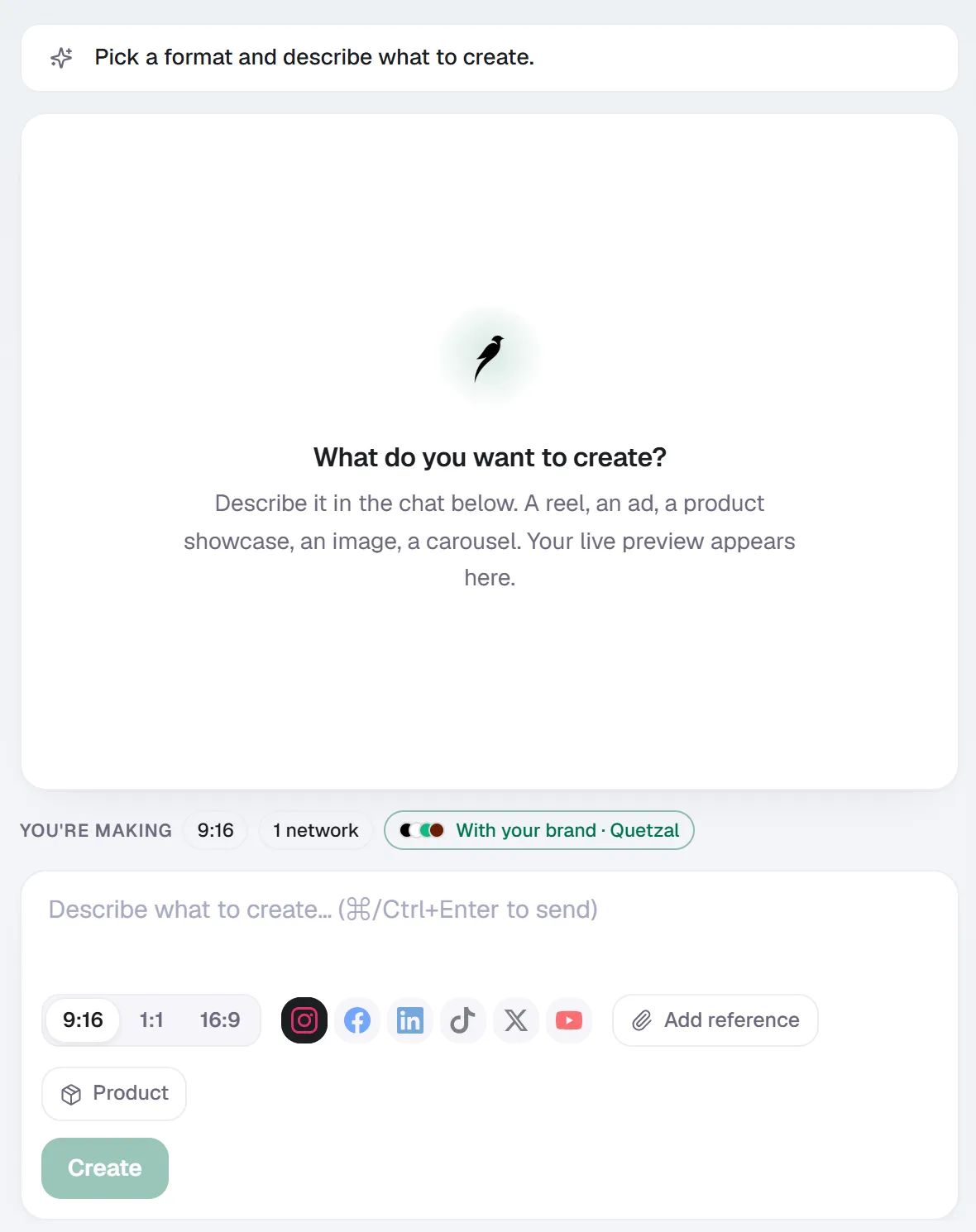
Create in Quetzal: describe the piece in a sentence, pick the format and the networks, and it is made with your brand applied.
The anatomy of the trending arrow on Instagram Reels
The primary indicator of a rising sound on Instagram is the trending arrow. When browsing the Reels tab, look directly at the bottom left corner of the screen where the audio attribution appears.
Normally, this area displays a musical note icon followed by the artist and song title, or "Original audio". When an audio track experiences a sharp spike in usage relative to its historical baseline, Instagram replaces the musical note with a small, upward diagonal arrow pointing toward the top right.
Tapping on this audio label takes you to the audio details page. This view provides three critical pieces of data:
- Total reel count: The total number of public reels created with this specific track.
- The original creator: The account that first uploaded or registered the audio.
- The reel feed: A chronological and popularity-ranked grid of videos using the track.
The audio details page also includes two action items: a blue "Use audio" button at the bottom to jump directly into the Reels camera, and a bookmark icon at the top right to save the sound to your private audio collection for later production.
Reels Interface Location:
Bottom-Left Overlay: [ ↑ ] [ Artist Name - Track Title ]
                           └── Tapping opens the Audio Aggregator
Not every sound displaying an arrow is equally valuable. An audio clip with 800,000 reels and a trending arrow is likely near the end of its algorithmic push.
Conversely, a track displaying a trending arrow with 4,000 to 15,000 reels represents an early-stage trend with substantial upside for discovery.
Checking the native audio trends tracker in the Professional Dashboard
If you manage a Professional account (either Creator or Business), Instagram provides a dedicated trends portal directly inside the mobile app. This interface aggregates regional data to show tracks gaining velocity across the platform.
To access the native audio trends tracker:
- Navigate to your Instagram profile tab.
- Tap the Professional dashboard button located beneath your bio.
- Under the "Insights" or "Tips and resources" sections, select Reels Trends (or Audio Trends).
- Review the ranked list of the top 50 trending songs and audio clips in your country.
This dashboard displays the current numerical rank of the track, the song title, the artist, and how many reels have been made using the sound over the past week.
Tapping any song on this list allows you to preview the sound snippet, save it to your bookmarks, or tap "Use Audio" to open the creation camera immediately.
The Professional Dashboard is particularly useful for identifying emerging pop tracks and licensed music. However, it can lag behind informal user-generated sounds (such as comedy dialogue clips or remixed voiceovers) by 24 to 48 hours.
For rapid-cycle dialogue trends, active scouting in the Reels feed remains necessary.
Searching inside the Reels audio library and music tray
When building a reel inside the Instagram app, the native music selector offers algorithmic suggestions segmented by user behavior and velocity.
To locate trending sounds during the creation workflow:
- Tap the + (create) icon and select Reel.
- Tap the Audio icon (the musical note) on the left-hand toolbar.
- Observe the tabs presented at the top of the audio browser.
Instagram dynamically updates these categories. The For You section curates tracks based on your previous viewing history and your industry niche.
The Trending tab isolates songs and audio clips that have logged the highest growth rate across the platform over the preceding 72 hours. Each entry displays the track name, artist, total reel count, and a preview play button.
If an audio track displays the diagonal upward arrow directly inside the music picker, it has met Instagram's algorithmic threshold for rapid adoption.
Professional accounts can also use the search bar at the top of this tray. Searching terms like "viral", "trending", or specific genres will display curated playlists assembled by Instagram's editorial team, though these playlists update less frequently than the raw algorithmic rankings.
The early-detection strategy: Volume thresholds and breakout curves
Capitalizing on audio trends requires timing. Jumping onto a sound too early (under 500 reels) risks creating content for an audio track that fails to gain traction.
Jumping on too late (over 200,000 reels) pits your content against celebrity accounts, enterprise brands, and massive creator profiles. The optimal window for brand discovery sits between 2,000 and 25,000 total uses, provided the trending arrow is visible.
| Trend Phase | Total Reel Count | Algorithmic Reach Potential | Competition Level | Recommended Action |
|---|---|---|---|---|
| Incubation | Under 1,000 | Low to Moderate | Minimal | Monitor sound; bookmark if concept matches brand identity. |
| Breakout Window | 2,000 to 25,000 | Peak | Moderate | Produce and publish immediately within 48 hours. |
| High Saturation | 50,000 to 150,000 | Moderate | High | Use only if your visual concept offers a strong, original hook. |
| Peak Fatigue | 250,000+ | Low | Severe | Avoid unless creating broad, mainstream commentary. |
Source: Quetzal Internal Distribution Analysis, 2026
When you encounter an audio clip on your Reels feed, tap through to the audio page and inspect the top nine reels.
If those reels were posted within the past three to five days and have generated views significantly higher than the creators' follower counts, the audio is actively being pushed by the recommendation engine.
If the top reels are three weeks old, the trend has peaked, even if the total count remains modest.
Timing reel publication to maximize audio momentum
Audio velocity works hand-in-hand with publication timing. Because Instagram evaluates the initial performance of a reel within its first several hours to decide whether to push it to broader non-follower feeds, publishing when your target audience is active maximizes early interaction.
A comprehensive analysis of posting behavior reveals consistent engagement windows across the platform.
According to Buffer's 2026 study of 9.6 million posts, peak engagement clusters heavily around early mornings and midday intervals on weekdays, giving early-morning posts a full day of viewer activity to accumulate watch time.
Similarly, Hootsuite's 2026 timing analysis highlights that distributing short-form video during morning commuter windows (between 8:00 AM and 10:00 AM on Tuesdays and Wednesdays) yields faster initial completion rates than posting during late-evening lulls.
Posting during these active distribution windows ensures your reel collects view-duration signals while the audio track's overall velocity score remains high.
Commercial licensing and Meta API limitations
Finding trending audio is straightforward for personal accounts, but businesses face legal and technical constraints that dictate how audio can be added and scheduled.
Business accounts vs. Creator accounts
Instagram segments audio access based on account classification:
- Creator accounts: Retain full access to Instagram's commercial music library as well as mainstream copyrighted pop music (Universal, Sony, Warner) for non-commercial editorial use.
- Business accounts: Are restricted from using copyrighted commercial music due to copyright compliance. Business accounts have access to the Meta Sound Collection, a royalty-free library of commercial-cleared tracks and sound effects.
If a business account attempts to select a mainstream pop song that is trending among consumer accounts, the track will often appear greyed out or fail to show up in search results.
To navigate this constraint legitimately, business accounts must focus on trending original audio. These are non-copyrighted sounds, spoken-word dialogue, comedic sketches, or custom instrumental beats uploaded by individual users that achieve viral reach.
Because they are classified as original audio rather than licensed commercial music, business accounts can utilize them freely without copyright strikes or muting.
API publishing constraints
Many social media teams use software to plan and publish video content automatically. However, developers must operate within Meta's technical platform guidelines.
As stated in Meta's Instagram content publishing documentation, only professional (business and creator) accounts are eligible to publish content via the Content Publishing API, and every account is subject to a hard platform limit of 100 API-published posts within a rolling 24-hour window.
Furthermore, Meta's API does not permit third-party scheduling platforms to select and attach copyrighted tracks from Instagram's native commercial music library at the point of scheduling.
Third-party tools can only publish video files containing pre-rendered audio (such as voiceovers, royalty-free background tracks, or custom audio renders).
API Publishing vs. Native Publishing:
Third-Party API: [Video File + Embedded Original Audio] ──> Published directly
In-App Native:   [Silent/Voiceover Video] + [Instagram Music Selector] ──> Published natively
If your marketing strategy relies on an official trending pop track that exists exclusively inside Instagram's library, you must either:
- Export your edited video without background music, upload it natively through the Instagram mobile app, and attach the trending track manually.
- Build your video with an embedded original audio track or licensed instrumental, publish via an automation engine, and use original sound concepts that carry their own algorithmic momentum.
Teams managing high-volume multichannel distribution often handle this by relying on native tools like Quetzal's social media autopilot.
Quetzal generates complete AI video reels end to end (script, AI voiceover, word-synced captions, and final edited renders) and publishes across Instagram, TikTok, and YouTube, tracking performance at 1, 6, 24, and 72 hours to measure viewer retention without requiring manual timeline assembly.
Tailoring trending audio by industry
Not every trending sound fits every business. Using an irreverent lip-sync track can undermine credibility in high-trust sectors, whereas overly corporate tracks will cause viewers to scroll past in lifestyle categories.
Fitness and gyms
Gyms and fitness studios thrive on high-energy, rhythmic audio that matches physical pacing. Upbeat electronic tracks, hip-hop instrumentals, and trending motivational speech clips consistently perform well for exercise demonstrations and facility tours.
When structuring video content for fitness brands, pairing physical movement to the beat drop of a rising audio track dramatically increases average watch time.
For a deeper breakdown of short-form video strategies in this vertical, review our guide to social media marketing for gyms.
Restaurants and hospitality
Hospitality marketing relies on sensory appeal. Trending acoustic sounds, smooth jazz riffs, and popular ambient background music complement plating videos, cocktail pours, and dining room atmosphere.
In addition to music, trending audio in hospitality often includes natural ASMR (ambient kitchen sizzle, cocktail shaker rhythms, slicing textures) mixed beneath a low-volume rising track.
For operational frameworks on scheduling hospitality reels, read our practical playbook on social media marketing for restaurants.
Legal, medical, and professional services
High-trust professional practices cannot afford to damage their authority by chasing juvenile comedy trends. However, legal and medical firms can still capture the algorithmic benefits of trending audio by using subtle instrumental tracks.
A proven technique is the "low-volume background track":
- Record an informative, educational talking-head video addressing a common client inquiry.
- Select a trending instrumental or ambient piano track on Instagram.
- Lower the volume of the trending music to 3% to 5%, while keeping the primary voiceover at 100%.
Instagram's recommendation algorithm registers that the reel uses a trending audio track, qualifying the video for discovery distribution, while human viewers hear only professional legal or clinical advice.
For more compliance-oriented social media tactics, consult our guide to social media marketing for law firms.
Cross-platform scouting: Spotting TikTok sounds before they arrive on Instagram
A significant portion of audio trends originating in short-form video appear on TikTok days or weeks before migrating to Instagram Reels. Monitoring TikTok offers an effective predictive baseline for what will trend on Instagram.
To scout cross-platform audio efficiently:
- Check the TikTok Creative Center: TikTok hosts a public, real-time analytics portal that ranks songs and original audio by region, industry, and velocity over 7-day and 30-day windows.
- Search the audio title on Instagram: When a dialogue clip or remix begins climbing TikTok's velocity charts, search the song title or audio snippet on Instagram immediately.
- Check for early uploads: Often, an early adopter will have ripped the sound and published it as an "Original audio" on Instagram with only a few dozen reels attached. Saving and using this sound before Instagram officially flags it with a trending arrow positions your account at the front of the curve.
Be cautious regarding watermarked audio or sounds containing third-party ad tags, as these can trigger content moderation filters on Meta's platform.
Saving and organizing an audio trend repository
Tracking audio trends is ineffective if your team forgets the sounds when production day arrives. Establishing an organized audio workflow ensures you execute before trends decay.
Inside the Instagram app, use the Collections feature to categorize your saved tracks:
- Tap the audio title on any reel.
- Tap the bookmark icon to save the audio.
- Navigate to your profile -> Menu (three lines) -> Saved -> Audio.
- Tap the + icon to create dedicated collections, such as "Educational Backgrounds", "Humor / Dialogue", or "High Energy Promos".
Review this repository weekly.
Audio trends have a functional lifespan of roughly two to three weeks; any sound saved more than a month ago should be audited to see if the trending arrow has vanished or if total usage has exceeded saturation limits.
Generate branded video content automatically
Producing video content consistently does not require manual audio scouting and timeline editing every day. Quetzal does the production work instead of just organizing it, generating complete AI video reels with scripts, AI voiceovers, and word-synced captions rendered in your brand's own visual identity.
The system publishes across six platforms and measures every post at 1, 6, 24, and 72 hours to improve future content based on what performs best, while letting you choose between full autopilot or per-post approval.
You can see a real week of branded content created from your website in about 3 minutes at /demo.
FAQ
What does the little arrow next to an Instagram audio mean?
The upward diagonal arrow indicates that an audio track is experiencing a rapid surge in usage across the platform. Instagram replaces the standard musical note icon with this arrow when a track's velocity outpaces platform averages, signaling that the algorithm is actively boosting content using that sound.
Why cannot business accounts use certain trending songs?
Business accounts are legally constrained from using copyrighted commercial music from major recording labels without commercial licensing agreements. While personal and creator accounts have access to mainstream music for personal entertainment, businesses are restricted to royalty-free libraries like the Meta Sound Collection or original user-uploaded audio clips.
How many reels should a trending audio have before you use it?
The ideal usage window for maximum discovery is between 2,000 and 25,000 reels. Sounds with fewer than 1,000 reels carry the risk of never breaking out, while audio tracks with more than 100,000 reels suffer from heavy competition, making it difficult for small accounts to stand out in the audio aggregator feed.
Can you use third-party tools to schedule reels with trending music?
Third-party tools can publish reels via the Meta Content Publishing API, but platform rules prevent external software from applying licensed commercial music from Instagram's in-app catalog at schedule time. To publish via API, tools must render the video with embedded audio (voiceovers, original beats, or royalty-free tracks) prior to upload.
Sources
- Buffer: best time to post on Instagram (2026 data from 9.6M posts), https://buffer.com/resources/when-is-the-best-time-to-post-on-instagram/
- Hootsuite: the best time to post on Instagram (2026 data), https://blog.hootsuite.com/best-time-to-post-on-instagram/
- Meta for Developers: Instagram content publishing, https://developers.facebook.com/docs/instagram-platform/content-publishing/
Really made with Quetzal
Real product output, untouched. What you see is what it generates.