Guide · September 23, 2026
How to Create an AI Avatar for Social Media: 2026 Guide
Learn how to create an AI avatar for social media in 2026. Explore digital twin training, voice cloning, platform disclosure rules, and automated workflows.
 By Jaime · Co-founder of Quetzal
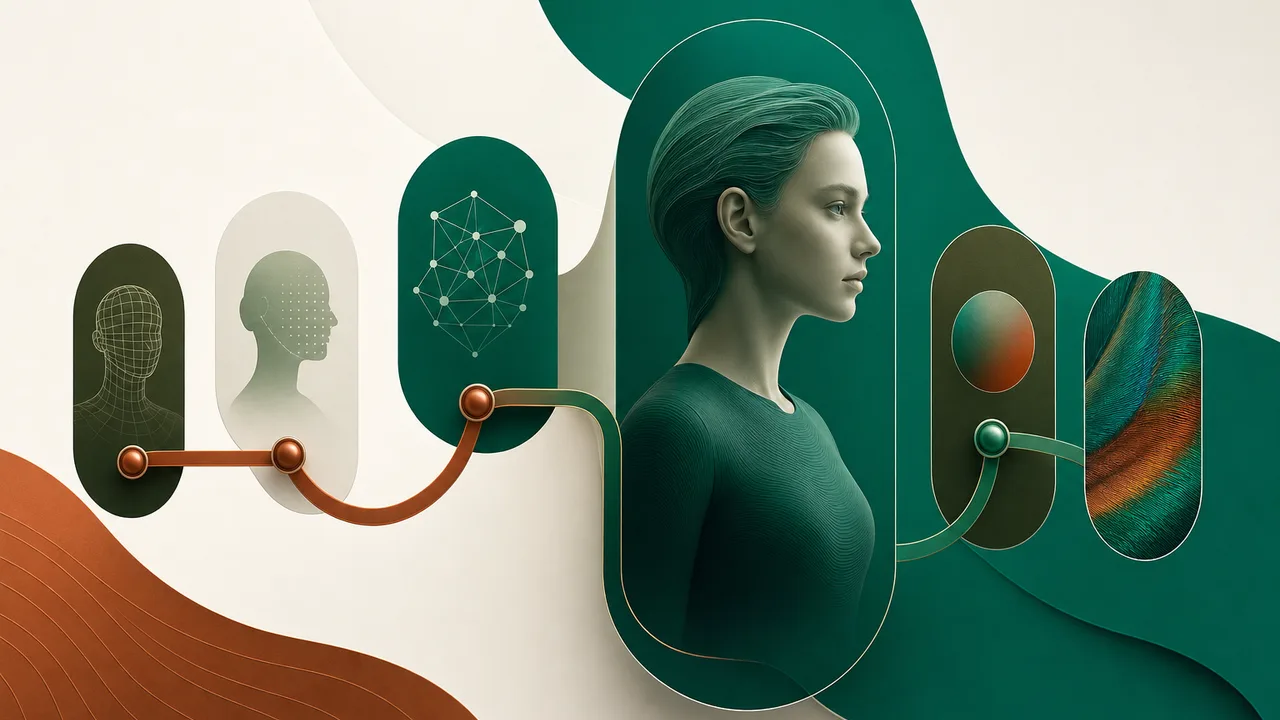
To create an AI avatar for social media, record a high-resolution two-to-five-minute video baseline of a subject speaking, record a clean audio sample to clone their voice, process both assets through an avatar synthesis engine, and generate video files synced to your text scripts. Export the final renders as vertical 9:16 videos with platform-compliant synthetic media disclosures.
Recent advances in generative video and neural audio processing have lowered the technical barrier to deploying virtual presenters. In 2026, social media marketing teams, creators, and corporate brands use virtual presenters to maintain consistent posting schedules across video-first platforms without booking continuous studio sessions. Producing an avatar that bypasses the uncanny valley and engages audiences requires strict attention to visual lighting, acoustic sampling, platform compliance, and distribution workflows.
Understanding the three architectural tiers of social media AI avatars
Before recording source media, you must decide which avatar architecture fits your operational needs. Social video production generally relies on three distinct types of virtual presenters, each carrying different computational requirements and visual results.
1. Photorealistic digital twins
A digital twin is a neural clone of a specific human subject. You create this model by training a diffusion-based video model or neural radiance field on raw video footage of yourself, an executive, or a contracted creator. The output preserves the exact facial geometry, natural micro-expressions, skin texture, and vocal inflection of the source individual. This format works best for personal brands, thought-leadership reels on LinkedIn, and brand-fronting founder accounts where individual trust is paramount.
2. Synthetic stock avatars
Synthetic stock avatars are ready-made virtual presenters provided by cloud synthesis software. These characters are licensed from professional actors who have recorded structured training datasets. You simply choose an existing avatar from a catalog, type a script, select a voice profile, and render the clip. While setup takes minutes, synthetic stock models carry a recognizable look that regular social media users frequently detect. If three competitors in the same vertical use the same stock model, audience fatigue sets in quickly.
3. Stylized and branded synthetic mascots
Stylized avatars use 2D or 3D animated assets rather than photorealistic human footage. These models are driven either by motion capture rigs or audio-driven blendshapes, turning your script into animated speech for an illustrated mascot or VTuber-style character. Consumer brands targeting younger demographics on TikTok, gaming communities on YouTube, or tech products on X frequently employ this approach to build recognizable intellectual property without tying production to a human face.
| Avatar Architecture | Setup Time | Hardware and Asset Input | Visual Realism | Best Social Application |
|---|---|---|---|---|
| Photorealistic Digital Twin | 2 to 5 days | 4K camera, high-CRI lighting, 24-bit audio interface, consent agreement | High (indistinguishable from live footage at standard viewing distances) | Founder commentary, personal branding, executive LinkedIn video |
| Synthetic Stock Avatar | 5 to 15 minutes | Standard web browser, written script | Moderate (accurate lip-sync, but standardized physical gestures) | High-volume explainer videos, internal training repurposed for social, localized support |
| Stylized / 3D Rigged Mascot | 2 to 4 weeks | 3D model asset (.FBX/.GLTF), blendshape mapping, specialized animation engine | Non-photorealistic (stylized visual aesthetic) | Brand mascots, gaming channels, Gen Z community marketing |
Source: Quetzal technical evaluation of social avatar pipelines, 2026.
Step-by-step workflow: training a custom photorealistic avatar
Building a custom digital twin requires an organized capture pipeline. Generative models cannot invent structural information that was missing in your original footage. Clean baseline data determines whether your final social reels look authentic or artificial.
Step 1: Record baseline video footage
Set up your recording space in a controlled environment. Natural sunlight changes color temperature continuously, which introduces training errors across model epochs. Use a three-point lighting setup with high-CRI continuous LED panels to evenly light the face and shoulders without casting harsh shadows behind the jawline.
Position a camera capable of capturing 4K resolution at 60 frames per second at eye level. Mount the camera to a stable tripod; generative models train poorly on unstable or handheld footage. Record three to five minutes of uninterrupted speaking footage. Read an educational article or industry summary out loud using your natural speaking cadence. Keep your head movements contained within a 30-degree arc from center, and pause for two seconds with your mouth closed every two sentences to provide the synthesis model with natural neutral-state mouth frames.
Step 2: Capture clean acoustic profiles for voice cloning
An avatar is only as convincing as its vocal synthesis. Viewers spot audio anomalies faster than minor visual artifacts. Record your voice using an external condenser or dynamic broadcast microphone paired with a dedicated audio interface in an acoustically treated room. Avoid built-in laptop microphones or consumer wireless earbuds, which introduce aggressive compression artifacts.
Read a phonetically balanced script for three to ten minutes to build a comprehensive acoustic profile. The recording must include a full dynamic range: quiet explanatory tones, assertive declarative statements, and varied emotional inflections. Once captured, export the audio file as an uncompressed 24-bit, 48 kHz WAV file. When training your voice clone inside your chosen audio synthesis tool, tune the model settings to retain natural breathing intervals and vocal fry, as over-filtered voices sound noticeably mechanical.
Step 3: Text-to-speech mapping and phoneme alignment
Once your visual model and audio model are trained, combine them with your written copy. Your generation script must be formatted specifically for text-to-speech engines. Spell out non-standard acronyms phonetically (for example, writing "S-A-A-S" or "sass" depending on intended pronunciation), insert punctuation marks to force natural conversational pauses, and mark stressed words where necessary.
The avatar engine calculates the phonetic transcript of your voice track, converts those sounds into corresponding facial movements known as visemes (the visual shapes mouths make when uttering specific sounds), and maps those movements onto your trained visual model. Modern 2026 synthesis engines use neural diffusion techniques to render dynamic micro-movements, including realistic blinks, subtle eyebrow lifts, and realistic neck muscle engagement corresponding to voice volume.
Step 4: Post-processing, framing, and resolution upscaling
Do not post raw avatar renders directly to social networks. Avatar generation tools typically output an MP4 file with the subject centered against a static background or an alpha channel (transparent background).
Import the render into your video editor or automated template pipeline:
- Frame the subject using a vertical 9:16 aspect ratio (1080x1920 pixels). Place the avatar's eye line in the upper third of the screen, leaving the top 15% clear for platform navigation icons and the bottom 25% clear for engagement buttons and caption overlays.
- Add dynamic b-roll, product screenshots, or relevant diagrams that periodically cut away from the avatar every three to five seconds. Cutting away hides synthesis micro-glitches and prevents the viewer from staring at the mouth area long enough to spot synthetic patterns.
- Generate dynamic, word-synced subtitles. Over 70% of mobile users browse feeds with the sound muted; accurate captions are essential for retention.
Platform rules, disclosure standards, and technical specs for 2026
Distributing synthetic video across major social networks requires strict adherence to automated platform detection systems and disclosure policies. In 2026, social platforms automatically scan uploaded video files for synthetic media artifacts and C2PA (Coalition for Content Provenance and Authenticity) metadata.
Meta platforms (Instagram and Facebook)
Meta requires creators and businesses to apply an "AI info" label to any photorealistic video created or altered with generative tools. You must toggle this setting in the advanced post settings prior to publishing. Failing to disclose a photorealistic avatar can cause Meta's automated moderation systems to flag the post, throttle organic distribution in the Reels algorithm, or append an algorithmic warning label to your account.
TikTok
TikTok mandates clear disclosure of synthetic media depicting realistic scenes or people. When posting an avatar video, you must turn on the "AI-generated content" toggle on the final upload screen. In addition, TikTok's community guidelines prohibit synthetic media that impersonates real individuals without consent or presents simulated events as factual breaking news.
YouTube Shorts
YouTube requires uploaders to specify whether content is "altered or synthetic" during the upload workflow. When using a photorealistic digital twin to explain concepts, share market analysis, or present tutorials, select "Yes" on the synthetic content disclosure screen. A subtle tag will appear in the Shorts player description, safeguarding your channel from automated policy strikes.
Technical delivery specifications
To maintain visual fidelity across algorithmic mobile feeds, render your final files to these production benchmarks:
- Format: MP4 or MOV wrapper with H.264 or HEVC (H.265) compression
- Resolution: 1080 x 1920 pixels (vertical 9:16)
- Frame rate: 30 fps or 60 fps constant frame rate
- Video bitrate: 10 to 15 Mbps for standard HD vertical renders
- Audio codec: AAC, stereo, 48 kHz, minimum 192 kbps
- Audio normalization: Loudness integrated to -14 LUFS to prevent platform audio clipping or automatic compression ducking
Strategic social media use cases: when an AI avatar makes commercial sense
Building and maintaining an avatar pipeline requires deliberate investment. For some content strategies, traditional production or alternative automated formats yield better returns. For others, an avatar solves major operational bottlenecks.
Rapid multilingual localization
Global companies often struggle to replicate video content across different geographic regions. Traditional dubbing creates an awkward mismatch between the spoken audio and the actor's lips. By deploying an avatar with multilingual voice synthesis, you can author a script once in English, automatically translate it into Spanish, French, German, or Japanese, and render regional video variants where the avatar's mouth accurately speaks each language.
Founder and executive commentary at scale
Early-stage founders, legal partners, and corporate executives rarely have three hours per week to sit under studio lights, set up audio gear, and record five short videos. Training a photorealistic digital twin allows an internal marketing team to turn written executive notes, thought leadership posts, or earnings takeaways into polished vertical video in minutes. When teams deploy avatars as part of structured testing, they often combine them with tactical playbooks such as those outlined in our guide on how to run a social media campaign.
Agency client scaling
Marketing agencies managing multiple accounts face constant scheduling friction when waiting for clients to record requested video assets. Creating approved digital twins for key client representatives enables agency teams to deliver regular, personality-driven video content without ongoing filming delays. This model allows agencies looking into how to find clients for social media management to offer comprehensive video tiers without requiring extensive studio infrastructure.
Overcoming audience fatigue and the limits of talking-head avatars
While avatar tools have improved substantially, an avatar alone does not guarantee social media engagement. Viewers do not open social apps to watch a computer-generated presenter recite a generic script against an unmoving backdrop. Relying exclusively on static talking-head clips often leads to diminishing organic reach.
High-performing social content relies on narrative rhythm, visual variety, and emotional resonance. If an avatar stands completely still while the camera angle never changes, the viewer's brain registers the artificiality within seconds. To keep retention curves high, mix avatar footage with product walkthroughs, kinetic text cards, and clear graphic carousels.
Many businesses discover that managing separate avatar models, voice clone subscriptions, video editing software, and multi-platform scheduling tools creates significant workflow friction. When the primary objective is publishing consistent, high-converting social video, end-to-end automated systems offer a far more efficient alternative to stitching together isolated AI tools.
This operational challenge is why we built the Quetzal product workflow. Quetzal is an AI social media autopilot built in Málaga, Spain, by two founders. Instead of forcing you to manually piece together scripts, third-party voice generators, subtitle files, and video rendering tools, Quetzal generates AI video reels end to end: script, AI voiceover, word-synced captions, and a finished edited render, published like any other post.
Beyond video reels, Quetzal generates designed static posts, ads, carousels, infographics, stories, and captions in your brand's own visual identity (incorporating your logo, palette, fonts, and product photos). It schedules and publishes across Instagram, Facebook, LinkedIn, TikTok, X, and YouTube, measuring every post at 1, 6, 24, and 72 hours to continuously improve the next week of content. You can set the autopilot to run fully autonomously under standing brand guidelines, or choose manual per-post approval before anything goes live.
Test automated social video production for your brand
If you want to scale your social media presence without spending hours filming footage, managing complex avatar tools, or manually editing video reels, explore how automated content generation works on your real company assets. Type your website into the Quetzal demo page to generate a complete, branded week of social media posts, graphics, and video content in about a minute without creating an account.
FAQ
Do social media algorithms penalize AI avatar videos?
No, social media algorithms do not penalize content solely because an AI avatar appears in the video. However, platforms do penalize low-retention content and unoriginal spam. If an avatar video lacks dynamic pacing, informative value, or clear audio, viewers swipe away quickly, which signals the algorithm to suppress the video's distribution. Furthermore, failing to activate platform-required AI disclosure labels on Meta, TikTok, or YouTube can trigger distribution restrictions or account moderation.
How much does it cost to build a photorealistic AI avatar in 2026?
The cost of creating an AI avatar varies depending on whether you choose a stock SaaS character or a custom digital twin. Using off-the-shelf synthetic avatars typically costs between $30 and $100 per month through specialized software subscriptions with limited monthly rendering credits. Training a high-fidelity custom digital twin from personal footage generally costs between $500 and $3,000 as a one-time onboarding and model training fee, alongside ongoing compute costs based on total minutes rendered.
Can I generate an AI avatar in multiple languages?
Yes, modern avatar platforms support dynamic multilingual generation. Because the audio voice model and visual viseme generator function as decoupled neural layers, you can translate a single written script into dozens of languages. The voice engine speaks the translated text using your cloned vocal profile, while the video model recalculates mouth movements to match the phonemes of the target language naturally.
What hardware do you need to train a custom digital twin?
You do not need a high-end local deep learning workstation to generate standard social media avatars, as most generation platforms process models in the cloud. However, capturing the baseline training data requires quality physical hardware: a camera capable of recording 4K at 60 fps, a dedicated three-point studio lighting setup with high-CRI continuous LED lamps, and an external broadcast-grade dynamic or condenser microphone connected to an audio interface to capture uncompressed audio.
Sources
- Meta Transparency Center: Guidelines and Technical Standards for Labeling AI-Generated Media (2026 Platform Specifications)
- TikTok Community Guidelines: Synthetic and Manipulated Media Disclosure Policies (2026 Platform Standards)
- YouTube Help Center: Disclosing Altered and Synthetic Content in Creator Studio (2026 Requirements)
- Quetzal Technical and Product Documentation: Autonomous Video Generation and Multi-Platform Social Workflows (2026)
Keep reading



See what Quetzal would do with your brand
Type your website and in about 3 minutes you get a real week of content with your logo, colors and voice. Free, no signup.