Guide · September 24, 2026
How to Create an AI Avatar for Social Media (2026 Guide)
Learn how to create an AI avatar for social media in 2026. Master photorealistic digital twins, synthetic personas, voice cloning, and automated video.
 By Jaime · Co-founder of Quetzal
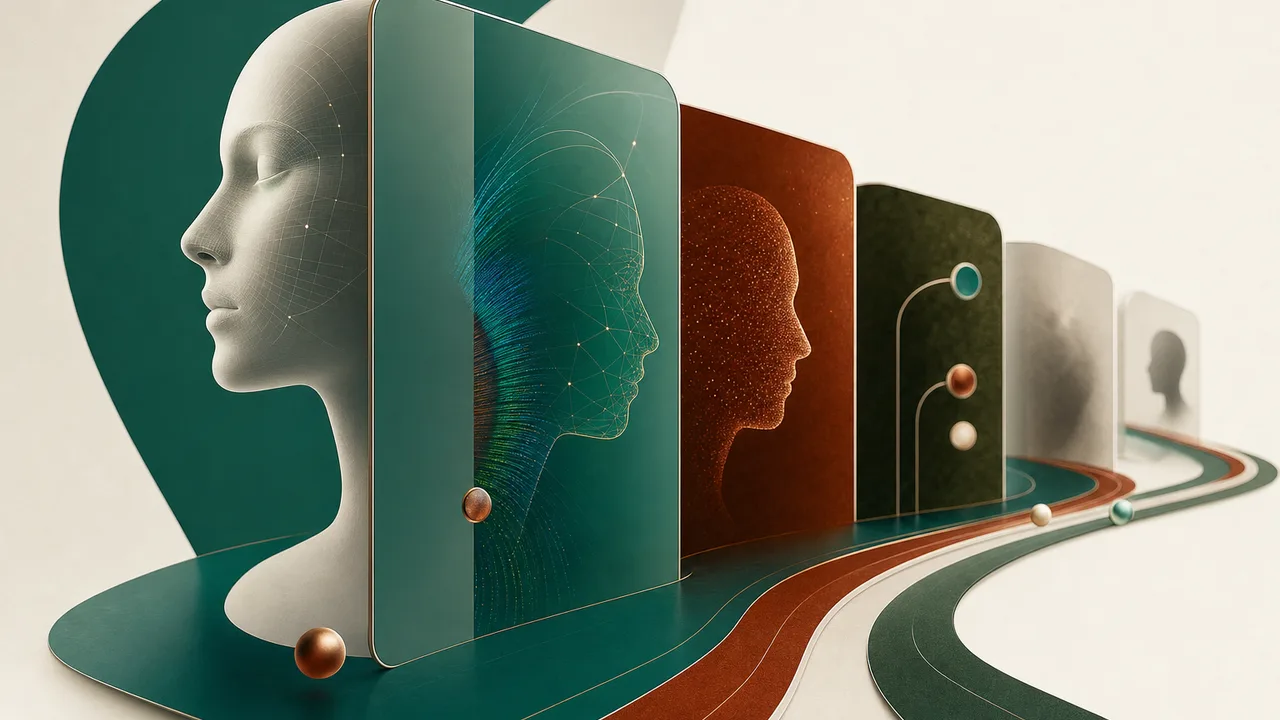
To create an AI avatar for social media, choose between a personal digital twin trained on your video footage or a synthetic generative persona. Record two to five minutes of clean 4K training video, train a cloned voice model, write a structured script, and render the lip-synced video using modern neural rendering tools.
The technology behind virtual presenters has matured significantly. In 2026, social media video production no longer requires setting up lighting grids, microphones, and camera gear every time a business needs to post a short-form video. Digital avatars can produce weekly video content across Instagram Reels, TikTok, YouTube Shorts, and LinkedIn while maintaining consistent visual quality.
Setting up an avatar pipeline requires an understanding of capture specifications, audio synthesis, behavioral nuances, and platform distribution rules.
Choosing between digital twins and synthetic personas
The first operational decision is whether your brand requires a digital twin of an existing person or an entirely synthetic virtual persona. Both options solve distinct business problems, but they require different assets, legal verification steps, and rendering pipelines.
A digital twin is a neural representation of an actual human, such as a company founder, marketing executive, or domain expert. Training a digital twin requires direct consent and original high-resolution training footage. The software maps the subject's facial geometry, micro-expressions, speech cadence, and upper-body gestures. The primary advantage is personal authenticity; the avatar looks, moves, and sounds like the actual individual, allowing executives to scale their thought leadership without spending hours in front of a lens.
A synthetic persona is an artificial character generated from diffusion models and facial rigs without a single human source. This character can be designed to match specific demographic parameters, brand archetypes, or industry aesthetics. Synthetic avatars eliminate the risk of creator departure or talent contract renegotiations, making them attractive for enterprise knowledge bases and brand mascot accounts. However, they lack personal brand equity and require careful visual calibration to avoid the uncanny valley effect.
When planning your visual presence, talking-head videos are only one component of a balanced channel. Balancing video production with branded carousels, static graphics, and multi-platform scheduling requires operational structure; testing Quetzal's interactive demo shows how an automated pipeline generates and formats a full week of branded assets in minutes.
Step 1: Capturing high-fidelity training footage
Training an AI avatar that avoids stiff movements and robotic artifacts requires pristine input data. Modern neural radiance and facial blendshape models rely on distinct visual edges, predictable shadow boundaries, and high pixel density.
To capture footage suitable for high-resolution avatar synthesis, follow these production specifications:
- Resolution and frame rate: Record in 4K resolution at 30 or 60 frames per second. Optical clarity is critical. Avoid smartphone portrait modes that use digital background blur, as the neural model will bake edge blur artifacts directly into the avatar's silhouette.
- Lighting setup: Use three-point balanced lighting calibrated to daylight (5600K) or a warm diffused studio tone. Avoid harsh directional shadows on the neck and under the nose. Uneven lighting confuses lip-sync algorithms when generating novel phonemes and shadow dynamics.
- Eye-line and lens geometry: Position the camera directly at eye level using a standard focal length (between 35mm and 50mm equivalent). Wide-angle lenses create barrel distortion that warps the subject's nose and temples during side-to-side head rotations.
- Physical movement boundaries: Maintain a relaxed, natural posture. Keep hand gestures below the sternum or outside the frame during the core calibration clip. Hand movements that cross in front of the chin, mouth, or throat cause occlusion errors during neural lip-sync generation.
- Consent verification: In 2026, reputable avatar generation engines require a dynamic liveness check. You must record a short verification video reading a randomized security phrase directly to the camera while holding government identification or completing an interactive facial orientation test.
Spend at least three minutes speaking continuously in front of the camera using varying phonetic sounds. Reading an article or business presentation aloud provides the model with natural jaw movement variations.
Step 2: Training a cloned voice model and audio profile
An avatar cannot succeed visually if the auditory experience sounds synthetic. Viewers on TikTok and Instagram Reels identify robotic cadence within the first three seconds of playback. Building a high-fidelity voice clone is just as important as generating the visual asset.
High-quality voice cloning models require clean, uncompressed audio. Use a cardioid dynamic or condenser microphone in a treated, quiet space. Eliminate room reflections, air conditioning hum, and computer fan noise. A recording length of five to ten minutes of clear, expressive reading produces the most natural output.
Audio Recording Best Practices:
├── Format: 24-bit, 48kHz uncompressed WAV
├── Acoustic Environment: Low reverberation (RT60 < 0.3s)
├── Proximity: 15-20 cm from microphone with pop filter
└── Delivery: Conversational tone with varied sentence endings
During the training process, capture the specific pacing, pause structure, and pitch variations of natural speech. When scripting your posts later, avoid monotone sentence structures. Synthetic speech engines interpret punctuation marks as timing instructions; commas create quarter-second pauses, periods create half-second transitions, and em dashes or ellipses can trigger unnatural cadence shifts if not formatted cleanly.
Multilingual deployment is an additional advantage of voice cloning in 2026. A single English audio clone can now synthesize fluent Spanish, German, or French while preserving the speaker's original vocal timbre, formant structure, and accent markers.
Step 3: Scripting and rendering avatar video
Writing for an AI avatar requires specific adjustments that differ from writing articles or standard social media copy. Neural text-to-speech engines interpret text literally. Acronyms, technical jargon, foreign proper nouns, and numerical data should be written phonetically.
For example, write "twenty-five thousand dollars" instead of "$25k," and write "API" as "A P I" if the engine mispronounces it as a single syllable. Include clear punctuation to establish breathing rhythms and natural sentence breaks.
Once the script is prepared, the rendering engine combines three layers:
- The base video canvas (the subject's neutral physical body loop)
- The synthesized audio track (the text-to-speech voice clone)
- The neural lip-sync deformer (which matches mouth, jaw, cheek, and eye movements to the audio phonemes)
The table below outlines the primary avatar generation models available for social media content production.
| Avatar Model | Training Input Required | Lip-Sync Latency | Visual Realism | Best Social Channels |
|---|---|---|---|---|
| Custom Digital Twin (NeRF/Gaussian) | 2 to 5 minutes 4K video, dynamic consent script | 3 to 10 minutes per video minute | Photorealistic | LinkedIn, Instagram, YouTube Shorts |
| Synthetic Generative Persona | Single high-res portrait image | 1 to 3 minutes per video minute | High (minor micro-expression limits) | TikTok, Instagram Reels |
| 3D Rigged Virtual Human | 3D mesh model, blendshapes, audio driver | Real-time to 2 minutes | Stylized or hyper-real | TikTok, YouTube, Twitch |
| Motion-Tracked Generative Rig | Real-time webcam feed, facial tracker | Instant (<500ms) | Photorealistic or stylized | Live streaming, short-form video |
Source: Platform interface specifications, 2026
Render times vary based on model complexity and resolution. Photorealistic Gaussian-splatting models require more compute time than single-frame 2D image warpers, but they prevent the telltale blurring around the mouth that triggers algorithmic downranking and user skepticism.
Step 4: Editing and formatting for social media algorithms
Raw avatar video output should never be posted directly to social media without post-production formatting. Even the highest-grade AI presenter remains visually static if positioned in the center of the frame for 60 seconds without interruption. Retention rates on short-form platforms drop sharply after three seconds of continuous visual monotony.
To maximize retention across Instagram Reels, TikTok, and YouTube Shorts:
- Frame within vertical safe zones: Render your video in a 9:16 aspect ratio (1080x1920 pixels). Keep the avatar's face in the upper third of the canvas. This prevents platform overlay elements (usernames, audio discs, caption boxes, and engagement icons) from obscuring the presenter's lips or eyes.
- Apply kinetic, word-synced subtitles: A substantial portion of mobile social media consumption occurs with audio disabled. Use animated captions placed directly beneath the presenter's chin. Highlight active keywords with contrasting brand colors to pull the viewer's eye downward into the message.
- Introduce pattern interrupts every three to four seconds: Intersperse the avatar footage with relevant B-roll clips, product screenshots, diagrams, text overlays, and sound effects. Cutting away from the avatar to show a practical visual example provides dynamic pacing and masks any minor rendering inconsistencies in the AI model's physical posture.
- Structure the narrative hook: The first two seconds determine whether a user continues scrolling. Avoid pleasantries, corporate greetings, or channel intros. Begin immediately with a high-stakes question, an unexpected data point, or a contrarian observation.
If you are coordinating video within a broader marketing effort, review our tactical guide on how to run a social media campaign to align your video hooks with scheduled conversion goals.
Step 5: Platform compliance, labeling, and ethics
Deploying AI avatars requires adherence to platform safety policies and consumer protection regulations. In 2026, social platforms apply algorithmic and manual systems to identify synthetic media. Failing to comply with disclosure guidelines can result in distribution penalties or account suspension.
Meta (Instagram and Facebook), ByteDance (TikTok), and Google (YouTube) enforce mandatory disclosure toggles for synthetic content. When uploading video featuring an AI avatar:
- On Instagram: Select the "Altered content" or "AI-generated" tag in the advanced posting settings.
- On TikTok: Turn on the "AI-generated content" toggle before publishing. TikTok automatically embeds a visible label on the lower edge of the video.
- On YouTube Shorts: Check the declaration confirming that the content includes altered or synthetic elements that depict realistic people or events.
Importantly, social media algorithms do not systematically penalize content simply because it carries an AI disclosure label. Platforms penalize deception, misleading claims, low engagement, and unflagged synthetic media detected by perceptual hashing systems. Clear labeling preserves audience trust while keeping your account compliant.
Furthermore, businesses should consider whether an internal avatar strategy replaces or complements external partnerships. As examined in our guide on how to find micro influencers on Instagram, human creator endorsements serve a different brand purpose than owned, synthetic marketing channels.
Integrating AI avatar video into your broader social media strategy
An AI avatar is an efficient production asset, but short-form talking-head video cannot carry a brand's social footprint alone. Social media platforms reward diversified content formats. A complete organic presence requires carousel posts on Instagram and LinkedIn, technical infographics, text updates on X, image stories, and targeted ad creative.
Managing this volume manually often leads teams to consider whether to hire internal specialists or deploy automated software. Reviewing our breakdown on hiring a social media manager outlines the cost and workflow differences between agency retainers, full-time hires, and automated production engines.
This is where Quetzal fits into an organization's workflow. Built in Málaga, Spain, by two founders, Quetzal operates as an AI social media autopilot that unifies video generation with full-channel visual publishing. While standard tools require you to manually export avatar files, import them into an editor, write captions, and schedule each post, Quetzal generates AI video reels end to end: script, AI voiceover, word-synced captions, and a finished edited render.
Beyond video, Quetzal generates designed static posts, ads, carousels, infographics, stories, and captions formatted strictly within the brand's own visual identity (logo, color palette, custom fonts, and product photography). The platform schedules and publishes directly to Instagram, Facebook, LinkedIn, TikTok, X, and YouTube, measuring every post at 1, 6, 24, and 72 hours to optimize the following week's output.
For teams managing multiple business lines or agencies operating across a diverse client base, Quetzal provides dedicated workspaces. Agencies running multi-brand portfolios can manage individual brand guidelines and autonomous posting workflows through per-client agency workspaces. Autopilot can operate fully autonomously under pre-set guidelines or allow team approval on a per-post basis.
Pricing is transparent and straightforward: the Starter plan is 79 EUR per month (89 USD outside Europe), Growth is 199 EUR per month (229 USD), Pro is 449 EUR per month (499 USD), and Ultra is 899 EUR per month (999 USD), all billed annually with a 14-day free trial that requires no credit card.
Preview your automated content pipeline
Creating consistent video and visual content does not require complex rendering setups or manual scheduling tools. To see how an automated engine transforms your existing website into branded videos, carousels, and multi-platform posts in three minutes, test Quetzal's interactive demo without creating an account.
FAQ
Can I create an AI avatar for free?
Many generative video platforms offer limited free trials that permit rendering a single 30-second to one-minute test clip with a watermark. However, producing ongoing, unwatermarked 4K avatars with custom voice cloning and commercial usage rights requires a paid subscription to an AI rendering platform or dedicated autopilot tool.
Do social media platforms ban or shadowban AI avatars?
No, social media platforms do not ban accounts solely for using AI avatars. However, platforms such as Instagram, TikTok, and YouTube mandate that creators activate the synthetic media disclosure label during the upload process. Accounts that attempt to conceal synthetic media or spread deceptive information risk distribution suppression.
How much training video do I need to create a digital twin?
Most modern digital twin rendering platforms require between two and five minutes of high-resolution 4K video recorded at 30 or 60 frames per second. The recording must feature clear lighting, steady posture, and a dynamic verification script read aloud to prove identity and consent.
What is the difference between an AI avatar and a deepfake?
An AI avatar is created with explicit legal consent and verification from the subject to produce authorized marketing or educational content. A deepfake typically refers to the unauthorized visual or auditory replacement of a person's likeness, often deployed without consent for deceptive or malicious purposes.
Sources
- Platform interface specifications and generative media documentation, 2026.
Keep reading



See what Quetzal would do with your brand
Type your website and in about 3 minutes you get a real week of content with your logo, colors and voice. Free, no signup.