Guide · September 5, 2026
How to use ChatGPT for social media posts
Learn how to use ChatGPT for social media posts, from prompts and caption formulas to scheduling, plus where it falls short for visuals.
 By Sergio · Co-founder of Quetzal

ChatGPT works best for social media as a caption and idea generator: feed it your brand voice, product details and a content pillar, and it will draft captions, hooks, hashtag sets and reply templates in seconds. It cannot design a post, schedule it or publish it, so most teams pair it with a scheduling tool or a design step.
Quetzal handles this entire production chain by generating on-brand static graphics, carousels, and video reels using your own logo, palette, and fonts rather than stopping at raw text. It then publishes directly across six networks and measures engagement over 72 hours, which you can try free on your own website without setting up an account.
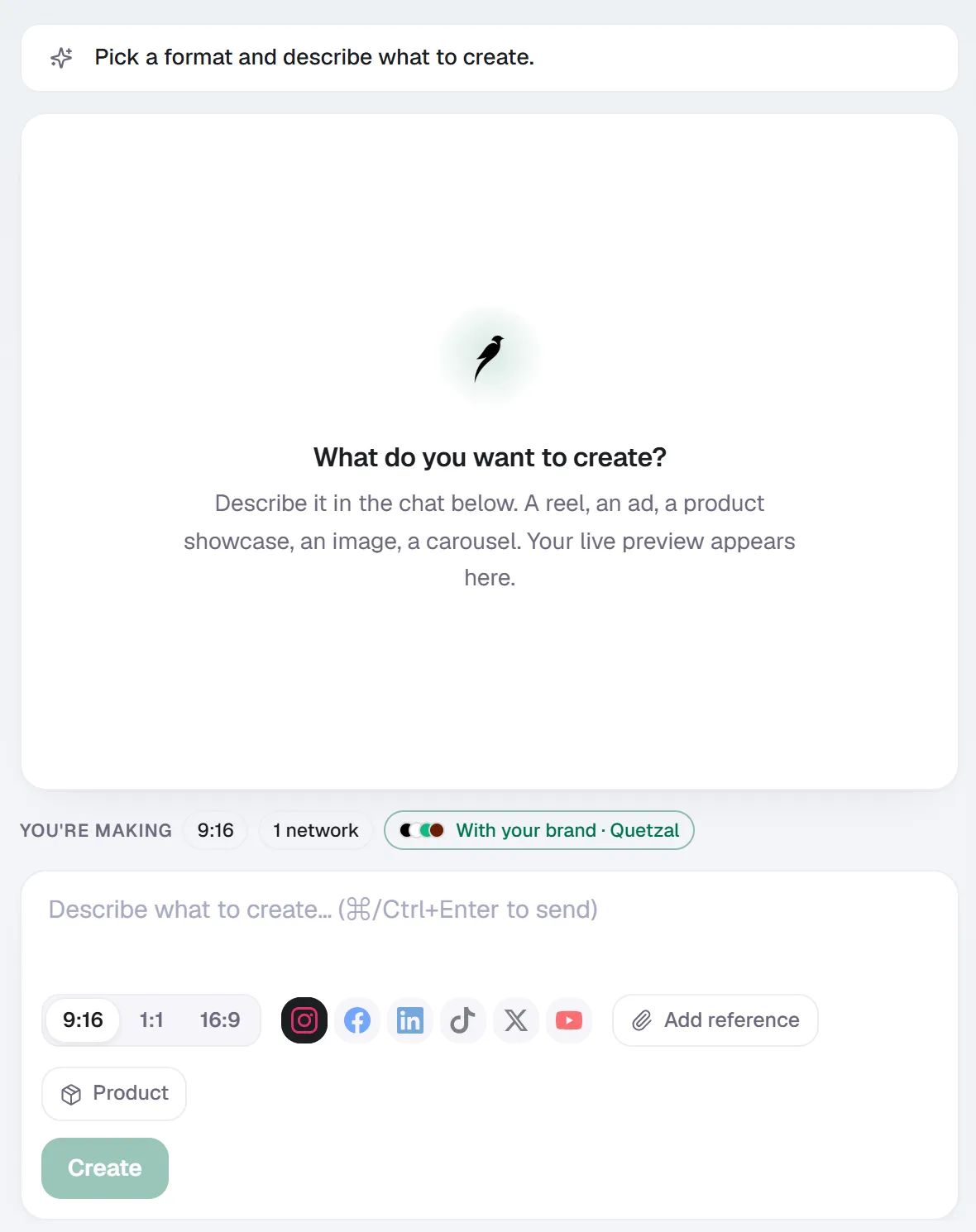
Create in Quetzal: describe the piece in a sentence, pick the format and the networks, and it is made with your brand applied.
What can ChatGPT actually do for social media?
ChatGPT is a text tool. For social media, that means it's genuinely strong at:
- Captions and hooks: writing multiple variations of the same message at different lengths and tones
- Content calendars: outlining a week or month of post topics based on your niche and goals
- Repurposing: turning a blog post, podcast transcript or product update into 5-10 platform-specific posts
- Hashtag research: suggesting relevant tags and grouping them by reach (broad vs. niche)
- Comment replies and community management scripts: drafting tone-matched responses to common questions
- A/B copy testing: generating two or three headline variants for the same visual so you can test which lands
What it cannot do natively: generate on-brand designed graphics (its native image tool doesn't hold a consistent logo, palette or product photography across a batch), publish anything to Instagram, Facebook, LinkedIn, TikTok, X or YouTube, or track how a post actually performed after it goes live.
Those three gaps are why most people who "use ChatGPT for social media" end up stitching it together with a design tool and a scheduler, or moving to a platform built to do the whole job, like Buffer, Later, Metricool, Hootsuite or an AI-native autopilot like Quetzal.
How do you write a good ChatGPT prompt for social media posts?
The quality of the output depends almost entirely on how much context you give it. A weak prompt ("write an Instagram post about our new product") produces generic copy. A strong prompt includes:
- Brand voice: 2-3 adjectives plus a sample sentence of how you actually talk to customers
- Platform: Instagram caption, LinkedIn post, X thread, TikTok script, each has different length and tone norms
- Goal: awareness, engagement, click-through, or direct response
- Audience: who reads this and what they already know
- Format constraints: character limit, whether you want emoji, whether you want a call to action and what it is
- Input material: the actual product detail, offer, or story you're posting about
Example prompt structure that works well:
"You are writing an Instagram caption for [brand], a [one-line description]. Our voice is [3 adjectives], similar to this example: [sample sentence].
Write a caption promoting [specific thing], aimed at [audience], with a soft call to action to [action]. Keep it under 150 words, no more than 2 emoji, end with 3-5 relevant hashtags."
Ask for 3 to 5 variations per prompt rather than one. Comparing options surfaces which angle actually fits the post, and it's faster than re-prompting from scratch each time.
Can ChatGPT design graphics for social media?
ChatGPT's built-in image generation can produce a single graphic on request, but it struggles with the thing brands actually need: consistency across a batch.
Ask it for ten posts in a row and you'll typically get ten different fonts, ten slightly different logo renderings (often distorted, since it doesn't understand vector brand assets), and colors that drift from your actual palette.
It also can't pull in your real product photography, it generates approximations of objects rather than using your actual photos.
For one-off graphics or quick mockups this is fine.
For a brand that posts multiple times a week and needs every post to look like it came from the same company, most teams use a dedicated design tool (Canva templates) or a tool built specifically to hold a brand's visual identity across every post it generates.
This is the core problem Quetzal is built around: it's an AI social media autopilot that generates static posts, ads, carousels, infographics, stories and captions using the brand's actual logo, palette, fonts and product photos, so a batch of thirty posts looks like the same brand made all of them, not thirty separate AI attempts.
What's the full workflow to actually get from ChatGPT prompt to published post?
Using ChatGPT for social media in practice usually means chaining several tools:
- Ideation: ask ChatGPT to generate a content calendar of topics based on your niche, upcoming dates, and goals
- Drafting: for each topic, prompt for caption variations using the structure above
- Design: bring the caption into a design tool for the visual, or a template system, matching your brand kit manually each time
- Scheduling: upload the finished asset and caption into a scheduler (Buffer, Later, Hootsuite, Publer) and set the publish time
- Posting: the scheduler pushes it live at the scheduled time
- Review: manually check engagement after a day or two and note what worked for next time
This works, but every handoff between ChatGPT, the design tool and the scheduler is manual, and step 6 (reviewing performance to actually improve the next batch) is the step most people skip because it takes time nobody has after the post is already live.
An autopilot approach collapses steps 1 through 6 into one system.
Quetzal, for instance, generates the designed post (not just the caption) in the brand's visual identity, schedules and publishes it across Instagram, Facebook, LinkedIn, TikTok, X and YouTube, and measures every post at 1, 6, 24 and 72 hours specifically to feed that performance data into the following week's content.
You can run it fully autonomously under standing brand guidelines or require approval on each post before it goes out, whichever fits how much control you want to keep.
ChatGPT alone vs. a scheduler vs. an autopilot
| ChatGPT alone | ChatGPT + scheduler | AI social autopilot (e.g. Quetzal) | |
|---|---|---|---|
| Writes captions | Yes | Yes | Yes |
| Designs on-brand graphics | No (inconsistent) | No, needs separate design tool | Yes, native |
| Publishes to platforms | No | Yes | Yes |
| Tracks post performance | No | Basic analytics | Measures at 1h/6h/24h/72h to improve next week |
| Manual steps per post | Several | Fewer, still manual handoff | Minimal, approval optional |
| Video | No | Depends on tool | Generated end to end (Quetzal) |
This isn't a case of one option being universally better. If you post occasionally and enjoy writing captions yourself, ChatGPT plus a free scheduler is enough.
If you're posting daily across multiple platforms and need it to look and perform consistently without you rebuilding the workflow every week, that's the gap autopilot tools are built to close.
How much does it cost to automate social media beyond ChatGPT?
ChatGPT itself has a free tier and a paid tier (roughly $20/month for Plus), which covers the writing side. Schedulers layer on top, typically $15-$100/month depending on the number of accounts and users.
Dedicated autopilot platforms that also design and publish tend to price by volume and features. Quetzal, for example, runs Starter at 79 EUR/month, Growth at 199, Pro at 449 and Ultra at 899, billed annually, with a 7-day free trial available using a launch code.
Compare that total cost (ChatGPT + design tool + scheduler subscriptions stacked) against a single platform before deciding which setup is actually cheaper for your posting volume.
FAQ
Is ChatGPT good enough to run a brand's entire social media on its own?
Not on its own. It handles the writing well but has no memory of your visual identity across posts, no publishing capability and no way to measure what happened after a post went live.
Most brands running social media on ChatGPT alone are still doing the design, scheduling and analysis steps by hand, or in a separate tool.
What should I put in a ChatGPT custom instructions or project for social media so it stays consistent?
Save your brand voice description, a sample of past captions, your typical hashtag set, your audience description and your standard call-to-action phrasing in a custom GPT, project, or reusable prompt template. This means you're not re-explaining your brand every single time you open a chat, and output stays more consistent across sessions.
Does ChatGPT know how each social platform's algorithm works?
No. It has general knowledge about platform norms (caption length conventions, hashtag habits) from its training data, but it doesn't have live, current information on how any platform's algorithm ranks content today, and it can't see how your specific posts performed. For that, you need actual analytics, either from the platform's native insights or a tool that tracks your post performance over time.
See it on your own brand
Instead of piecing together ChatGPT prompts, design templates, and scheduling tools, Quetzal automates the full workflow from a single workspace. It creates finished static posts, carousels, stories, and end-to-end video reels styled with your brand's logo, palette, fonts, and product photos.
It publishes across six networks adapted to each platform, and it measures every post at 1, 6, 24, and 72 hours so each week's content improves on the last. You can preview a week of branded social posts generated in about three minutes at /demo.
Really made with Quetzal
Real product output, untouched. What you see is what it generates.