Guide · September 3, 2026
How to schedule TikTok videos in advance (2026 guide)
Learn how to schedule TikTok videos in advance using TikTok's native tools or third-party apps, including setup steps and platform limits.
 By Sergio · Co-founder of Quetzal

You can schedule TikTok videos in advance either through TikTok's own native scheduler (web upload only, up to 10 days ahead) or through third-party tools like Quetzal, Metricool, Buffer, Later or Hootsuite, which let you queue content weeks out and publish across other platforms at the same time.
Native scheduling is free but limited; third-party tools add planning, approval workflows and cross-platform posting.
Quetzal handles this by generating and scheduling video reels end to end, creating scripts, voiceovers, word-synced captions, and edited renders in your brand's visual identity. It publishes directly to TikTok alongside five other platforms, and you can try it free on your own website to see a full week of planned content in minutes.
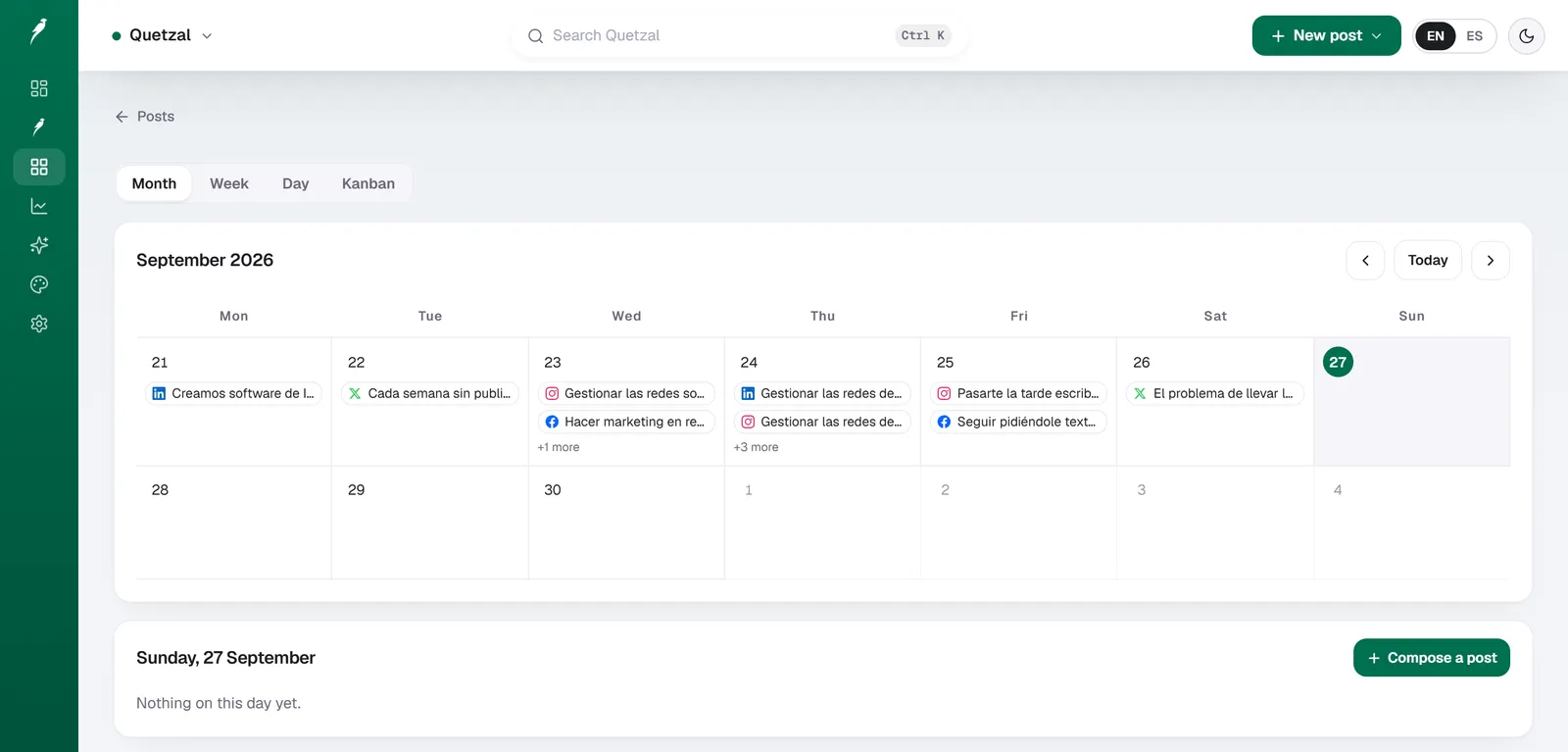
The Quetzal calendar on our own account in September 2026: every post the autopilot planned for LinkedIn, X, Instagram and Facebook, and underneath, the posts still waiting for approval. Our account publishes in Spanish.
How to schedule a TikTok video using TikTok's native scheduler
TikTok added a built-in scheduler in 2022, and it still works the same way in 2026, but only through a desktop browser, not the mobile app.
Steps:
- Go to tiktok.com and log in on desktop.
- Click the upload icon and select your video file.
- Add your caption, cover image, hashtags and privacy settings as usual.
- Below the post settings, find the "Schedule" toggle and switch it on.
- Pick a date and time. TikTok allows scheduling from 15 minutes up to 10 days in the future.
- Click "Schedule" instead of "Post."
Your video sits in a queue and publishes automatically at the chosen time. You can find and edit scheduled posts under your profile's "Manage" or "Scheduled" tab before they go live, but once published, edits are limited to captions and settings TikTok normally allows post-publish.
Limitations to know before relying on this method:
- Mobile app scheduling is not available. You must use a desktop browser.
- The 10-day cap means you cannot batch a full month of content natively.
- There is no bulk upload. Each video is scheduled one at a time.
- No approval workflow, so if you work with a team or client, someone still has to manually check every draft before it goes live.
- No analytics tied to the schedule itself. You still have to check TikTok's native analytics separately.
For solo creators posting a few times a week, native scheduling is genuinely enough. For brands or agencies posting daily across multiple platforms, it becomes a bottleneck fast.
How to schedule TikTok videos with a third-party tool
Third-party scheduling tools solve three problems TikTok's native scheduler doesn't: longer scheduling windows, bulk planning, and cross-platform publishing from one dashboard.
General workflow across most tools:
- Connect your TikTok Business account through OAuth (TikTok requires a Business account for API-based scheduling, not a personal account).
- Upload video files, or in the case of AI-assisted tools, generate content in your brand's visual style directly in the platform.
- Write or auto-generate captions and hashtags.
- Set a publish date and time, or let the tool suggest optimal posting windows.
- Approve the post yourself, or let it publish automatically if the tool supports full autopilot.
- Review performance metrics after publishing to adjust the next batch of content.
This is where a tool like Quetzal differs from a pure scheduler.
Instead of just holding your video in a queue, Quetzal generates the designed content itself (static posts, carousels, captions, stories) in your brand's own colors, fonts and logo, schedules it to TikTok alongside Instagram, Facebook, LinkedIn, X and YouTube, and then measures each post at 1, 6, 24 and 72 hours to inform what gets made the following week.
AI-generated video reels are produced end to end and published to TikTok like any other post. You can run it fully autonomously under standing brand guidelines, or require approval on every post before it publishes, depending on how much control you want to keep.
Other established players in this space (Buffer, Hootsuite, Later, Metricool, Publer, Ocoya, Predis.ai) offer scheduling and, in most cases, calendar views and basic analytics, but the design and content generation work is typically left to you or a separate tool.
TikTok scheduling: native vs third-party tools compared
| Feature | TikTok native scheduler | Third-party tools (e.g. Quetzal, Buffer, Metricool) |
|---|---|---|
| Scheduling window | Up to 10 days ahead | Weeks or months ahead |
| Platform | Desktop browser only | Web dashboard, often with mobile apps |
| Bulk scheduling | No, one at a time | Yes, batch upload and calendar view |
| Cross-platform posting | No | Yes, typically Instagram, Facebook, LinkedIn, X, YouTube |
| Content creation | You supply the finished video | Some tools generate designed posts/captions for you |
| Approval workflow | None | Available on tools built for teams or agencies |
| Cost | Free | Paid, typically monthly subscription |
If you only post to TikTok and rarely more than a week out, native scheduling covers you. If you're running a multi-platform content calendar or managing a brand's output on a schedule, a dedicated tool removes the manual work of logging into TikTok's dashboard every few days.
What to prepare before scheduling TikTok content in bulk
Scheduling in advance only works well if the content itself is ready to go. Before you queue a week or month of TikTok posts, have these in place:
- A consistent visual identity. Logo placement, color palette, fonts and cover image style should match across every video so scheduled content doesn't look disjointed when it publishes without your direct oversight.
- Captions and hashtags drafted ahead of time. Writing captions in the moment, right before a post goes live, is a habit that breaks the moment you start scheduling further out. Draft them in batches instead.
- A posting cadence based on past performance. Check which times and days have historically gotten the most engagement on your account before locking in a schedule. Tools that measure post performance at multiple intervals after publishing (1, 6, 24 and 72 hours, for example) give you a clearer picture than checking view counts once and moving on.
- An approval step, even if minimal. Whether it's a quick self-review or a manager sign-off, scheduled content should be checked before the date arrives, not after it publishes.
- A TikTok Business account, if you're using any third-party tool. Personal accounts cannot connect via the API most scheduling tools rely on.
Frequently asked questions
Can I schedule TikTok videos from the mobile app?
Not natively. TikTok's built-in scheduler only works through a desktop browser at tiktok.com. To schedule from a phone, you need a third-party app with its own mobile interface, such as Buffer, Later or Metricool, connected to your TikTok Business account.
How far in advance can I schedule a TikTok video?
Through TikTok's native scheduler, up to 10 days ahead. Third-party scheduling tools typically remove that cap and let you queue content weeks or months in advance, since they publish through TikTok's API rather than the native web uploader.
Do I need a TikTok Business account to schedule posts?
Yes, for any third-party tool. TikTok's API-based scheduling access requires a Business account. The native web scheduler works with standard accounts, but switching to Business also unlocks analytics that help you judge whether your scheduled posting times are actually working.
See it on your own brand
Instead of manually editing video files and queuing them one by one, Quetzal generates complete AI video reels with voiceovers and captions in your brand's visual identity.
It schedules across TikTok and five other platforms from a single workspace, then tracks post performance at 1, 6, 24, and 72 hours to optimize future content while letting you choose between full autopilot or per-post approval. See how your own calendar looks by trying the free demo.
Really made with Quetzal
Real product output, untouched. What you see is what it generates.