Comparison · September 17, 2026
Loomly vs Hootsuite: 2026 Comparison for Marketing Teams
Loomly vs Hootsuite in 2026: compare pricing, approval workflows, social listening, and collaboration features to choose the right platform for your team.
 By Sergio · Co-founder of Quetzal

In the Loomly vs Hootsuite decision, Loomly suits small teams and agencies prioritizing visual content calendars, collaborative post approval workflows, and predictable multi-user pricing. Hootsuite suits mid-market teams needing social listening streams, unified social customer service inboxes, and advanced governance, though at significantly higher per-seat costs.
For teams that want to eliminate manual content creation entirely rather than just schedule posts, Quetzal acts as an AI social media autopilot that creates designed static posts, carousels, and video reels in your brand identity and publishes across six networks.
You can try it free on your own website to see how it plans and generates content before choosing between manual scheduling tools.
Choosing between them comes down to a fundamental operational question: do you need an editorial production calendar that simplifies internal and client approvals, or do you need an enterprise-grade command center built around inbound message handling, employee advocacy, and real-time social listening?
Both platforms solve scheduling and multi-network publishing. However, their architecture, pricing philosophy, and target workflows reflect two completely different eras of social media management.
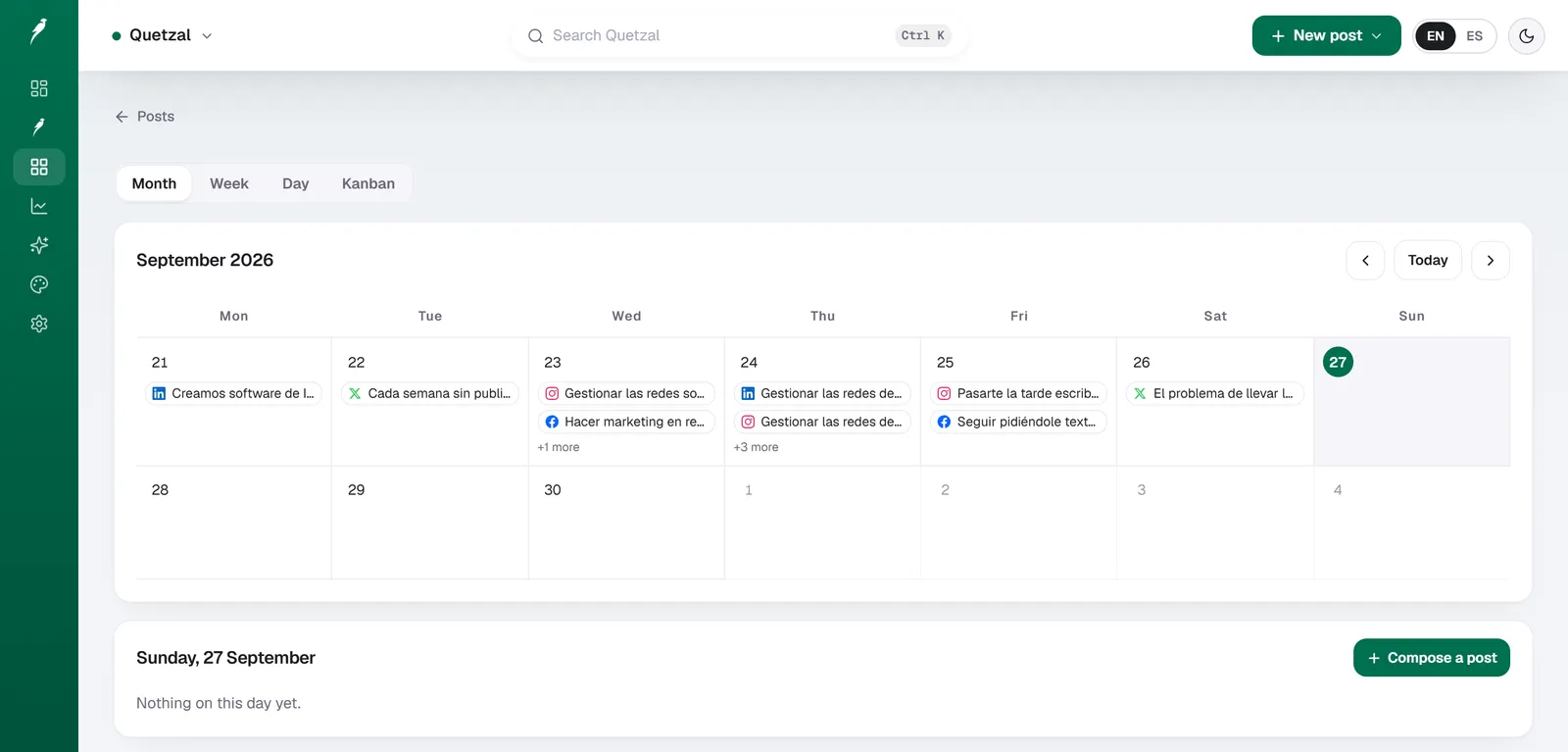
The Quetzal calendar on our own account in September 2026: every post the autopilot planned for LinkedIn, X, Instagram and Facebook, and underneath, the posts still waiting for approval. Our account publishes in Spanish.
Quetzal: AI social media autopilot
Quetzal is an AI social media autopilot built in Málaga, Spain, by two founders. Unlike traditional scheduling tools that only host pre-made graphics, Quetzal creates the content, designs it in the brand's own visual identity (logo, palette, fonts, and product photos), publishes it, and learns from the results.
It generates designed static posts, ads, carousels, infographics, stories, captions, and end-to-end AI video reels with AI voiceover and word-synced captions, publishing natively to Instagram, Facebook, LinkedIn, TikTok, X, and YouTube.
The platform measures every post at 1, 6, 24, and 72 hours to improve the next week's content. Teams can run on full autopilot or maintain per-post approval control.
It fits marketing teams and agencies in Spain, Europe, and the United States looking to automate content production across multiple channels. Pricing starts at 79 EUR/month (89 USD/month in the United States) billed annually with a 7-day free trial.
As a young product, it focuses purely on automated content generation and publishing rather than enterprise social listening streams or customer support inboxes.
Loomly vs Hootsuite: key differences at a glance
The primary contrast between Loomly and Hootsuite lies in workflow focus. Loomly was built from the ground up as a brand success tool centered around a structured content creation and approval pipeline.
Hootsuite originated as a multi-column monitoring dashboard and evolved into an all-in-one suite covering engagement, analytics, listening, and governance.
| Dimension | Quetzal | Loomly | Hootsuite |
|---|---|---|---|
| Primary focus | Autonomous brand-tailored content generation, video reels, and multi-network publishing | Visual calendar, collaborative approvals, mockup previews | Streams monitoring, unified inbox, listening, multichannel analytics |
| Starting entry price | 79 EUR/month (89 USD/month in the US), billed annually | Accessible tier pricing based on calendar and user limits | High entry tier for single-user plans, steep increases for teams |
| Team collaboration | Full autopilot or optional per-post approval | Multi-step approval workflows (Draft, Pending, Edits, Approved) | Approval workflows restricted to higher-tier and Enterprise plans |
| Social listening | n/a | Basic keyword and hashtag tracking | Robust monitoring streams, Boolean searches, custom listening add-ons |
| Inbox & customer service | n/a | Basic comment and mention moderation | Advanced omnichannel inbox, automated routing, SLA assignment |
| Asset creation | Generates static posts, ads, carousels, infographics, stories, and end-to-end video reels in brand identity | Idea prompts, basic post builders, integration with Canva | Native composer, Canva integration, OwlyWriter AI text assistant |
| Target audience | Marketing teams and agencies in Spain, Europe, and the US wanting automated content | Boutique agencies, internal marketing teams, growing brands | Mid-market marketing departments, enterprise corporations, large agencies |
Source: Feature architecture comparison based on Hootsuite plans and pricing and published platform specifications, 2026.
Pricing structure and user seat costs
Pricing represents the sharpest operational divide between these two systems. Social media teams often outgrow software not because of feature limitations, but because adding team members or client reviewers triggers exponential cost spikes.
Hootsuite uses a restrictive per-seat licensing model. As detailed on the Hootsuite plans and pricing page, its baseline Professional tier covers only a single user and ten social accounts.
If an organization needs a second team member to help manage scheduling, it must upgrade directly to the Team plan, which expands coverage to three users and twenty social accounts at a substantially higher monthly investment.
For agencies or growing marketing teams requiring five, ten, or more seats with granular permission controls, Hootsuite pushes accounts into custom Enterprise tiers. This per-seat scaling makes Hootsuite one of the most expensive management tools on the market, a dynamic explored in our guide to Sprout Social alternative free options and mid-market tool costs.
Loomly approaches pricing through bundled operational tiers based on the number of calendars and active users rather than punishing teams for each collaborator. Its tiers (Base, Standard, Advanced, and Premium) allow organizations to add multiple team members and client accounts without purchasing dedicated enterprise licenses for every stakeholder who merely needs to review a caption.
For an agency managing six brands with three internal editors and two client approvers per brand, Loomly provides a viable cost ceiling. On Hootsuite, that same headcount requires enterprise negotiation, custom seat allocations, and contract minimums that easily run into thousands of dollars annually.
Content planning, approvals, and calendar workflows
Where Loomly establishes a distinct operational edge is in editorial workflow execution. The platform organizes social media management around independent calendars. Each calendar holds its own time zone, target audience settings, social connections, and collaborator permissions.
Loomly provides a structured, status-driven review pipeline:
- Draft: Post concepts under development.
- Pending approval: Content submitted to internal managers or external clients.
- Requires edits: Content rejected with contextual feedback and line comments.
- Approved: Final assets locked and queued for release.
- Scheduled: Posts primed for native API dispatch.
This structure eliminates email chains, shared spreadsheets, and rogue PDF proofs. Approvers receive automated notifications and view pixel-accurate post mockups showing exactly how an asset appears on Instagram, LinkedIn, or TikTok before it goes live.
Hootsuite provides content scheduling through its Planner tool, which displays scheduled messages across calendar views. However, its approval engine is built primarily for top-down governance rather than collaborative creative iteration.
Approval rules in Hootsuite function like an enterprise compliance checkpoint: a post cannot publish unless an authorized account admin clears the queue. While effective for legal compliance in regulated sectors, it lacks the intuitive, mockup-heavy review experience that makes Loomly popular with client-facing agencies.
Social listening, inbox management, and analytics
If Loomly dominates editorial workflows, Hootsuite holds the advantage in community management, social listening, and inbound customer care.
Hootsuite's signature interface feature remains its customizable Streams dashboard. Users can configure side-by-side feeds monitoring brand mentions, competitor hashtags, search terms, and specific user lists across X, Facebook, and Instagram. For crisis communication, PR tracking, and real-time social listening, Hootsuite offers real-time monitoring depth that Loomly cannot replicate.
Hootsuite's unified Inbox centralizes incoming private messages, public comments, and brand mentions across connected networks. Teams can tag conversations, assign tickets to specific operators, apply pre-written replies, and track response resolution times.
In its own comparative marketing materials, such as Hootsuite vs Metricool, Hootsuite repeatedly emphasizes its deep customer care infrastructure as a primary differentiator over lightweight scheduling competitors.
Loomly includes an Interactions module that captures basic comments, direct messages, and mentions. It serves everyday community check-ins for small brands.
However, it lacks threaded ticket routing, customer support service-level agreement (SLA) timers, automated assignment triggers, and deep Boolean keyword listening queries. Teams requiring a dedicated social customer care desk will find Loomly's inbox tools basic compared to Hootsuite's enterprise routing.
In analytics, Hootsuite delivers customizable PDF report builders, team productivity metrics, competitive benchmarking, and organic-plus-paid post attribution. Loomly delivers clean, straightforward performance metrics focusing on post reach, engagement rates, click-through rates, and top-performing post types.
Loomly's analytics are easy for clients to digest, but enterprise analysts seeking cross-channel attribution modeling will outgrow them quickly.
The content production bottleneck: containers vs creation
While comparing Loomly and Hootsuite reveals clear workflow differences, both platforms share a significant operational limitation: they are distribution containers, not production engines.
Both tools assume that your marketing team arrives with finished assets ready to publish. In both platforms, someone must still:
- Conceptualize original content themes for the upcoming month.
- Write bespoke copy matching the brand voice across six networks.
- Open external graphic design software to build carousels, infographics, and static posts.
- Produce, caption, and edit vertical video reels for TikTok and Instagram.
- Adjust formats to meet exact aspect ratio and safe-zone guidelines across platforms.
Hootsuite provides OwlyWriter AI to generate text suggestions from prompts, and Loomly offers post ideas based on trending holidays and RSS feeds. Yet neither tool produces a finished, multi-format media asset.
Teams using either system still spend 80 percent of their working hours designing graphics, drafting scripts, and formatting media in external design apps before uploading them into the scheduler.
Manual Scheduling Workflow (Loomly / Hootsuite):
[Idea Concept] -> [Design in Canva/Figma] -> [Video Editing] -> [Write Copy] -> [Upload to Scheduler] -> [Set Date] -> [Publish]
                                                                                      ^
                                                                           The Production Bottleneck
This production bottleneck is why modern marketing teams frequently reevaluate traditional management stacks. Platforms like Quetzal represent an alternative category: an AI social media autopilot that eliminates the manual creation phase entirely.
Built in Málaga, Spain, by two founders, Quetzal does not just hold your finished posts; it generates designed static posts, ads, carousels, infographics, stories, and captions directly in your brand's visual identity (using your logo, color palette, typography, and product photos).
Instead of spending days feeding a calendar like Loomly or Hootsuite, teams can run on full autopilot or maintain per-post approval control while the system publishes to Instagram, Facebook, LinkedIn, TikTok, X, and YouTube natively.
If you find that your primary struggle is not the mechanics of calendar scheduling, but the time required to design high-quality graphics and cut vertical video assets every week, read our breakdown of Quetzal as a Hootsuite alternative for small teams.
Feature comparison: operational breakdown
To determine which platform fits your organization's internal workflows, examine how each handles day-to-day social marketing tasks:
| Capability | Quetzal | Loomly | Hootsuite |
|---|---|---|---|
| Asset Generation | Fully autonomous generation of designed static posts, carousels, infographics, and ads | Manual upload (Canva embed for design) | Manual upload (Canva embed + AI text generator) |
| Video Production | End-to-end AI video reels with script, AI voiceover, synced captions, and edited render | Manual video uploads only | Manual video uploads only |
| Publishing Channels | Instagram, Facebook, LinkedIn, TikTok, X, YouTube | Instagram, Facebook, X, LinkedIn, Pinterest, TikTok, YouTube, Google Business | Instagram, Facebook, X, LinkedIn, Pinterest, TikTok, YouTube |
| Approval Flow | Optional per-post approval or fully autonomous operation | Multi-tiered, mockup-based internal/client review stages | Role-based administrative approvals on Team/Enterprise tiers |
| Performance Feedback | Measures posts at 1, 6, 24, and 72 hours to dynamically improve the next week's output | Standard retrospective engagement reports | Custom multi-channel analytics and social ROI tracking |
| Entry Pricing | Transparent flat pricing starting at 79 EUR/month (89 USD/month in the US) | Predictable tiered plans with multi-user packaging | Baseline plans start high; steep jumps for additional team seats |
Which platform should your team choose?
Your choice between Loomly and Hootsuite depends on team size, client involvement, and whether your daily focus centers on inbound engagement or outbound editorial planning.
Choose Quetzal if:
- You want to eliminate manual content production: You want an AI autopilot that creates designed static posts, carousels, infographics, and end-to-end video reels in your brand's identity instead of manually building them in Canva.
- You prefer continuous learning over static scheduling: You want a system that measures every post at 1, 6, 24, and 72 hours and uses performance data to improve the next week's content.
- You want flexible control: You want the choice between running on full autonomous autopilot or approving each post before publishing across six platforms (Instagram, Facebook, LinkedIn, TikTok, X, and YouTube).
- You need transparent pricing without seat penalties: You want entry pricing starting at 79 EUR/month (89 USD/month in the US) with a 7-day free trial.
Choose Loomly if:
- You run a boutique agency or internal creative department: You manage content for multiple brands or divisions and need dedicated calendars with visual post previews.
- Client review is a daily bottleneck: You need an intuitive approval portal where external clients or internal department heads can approve or request edits without navigating complex enterprise software.
- You have multiple team members on a budget: You cannot justify paying hundreds of dollars per month simply to grant publishing or review access to additional colleagues.
- Your social presence is primarily publishing-driven: You focus on outbound campaign execution rather than high-volume customer support ticketing.
Choose Hootsuite if:
- You manage high-volume inbound messaging: Your social channels double as customer support channels requiring message routing, team assignments, tagging, and resolution tracking.
- Social listening is critical to your strategy: You require real-time monitoring streams for crisis management, PR tracking, brand mentions, and competitor intelligence.
- You are an enterprise organization: You require single sign-on (SSO), strict legal compliance checkpoints, employee advocacy modules (Amplify), and dedicated account managers.
- Budget is secondary to consolidation: Your organization prefers paying enterprise seat licensing to consolidate listening, customer care, and multi-network analytics into a single legacy vendor.
If your evaluation shows that neither tool solves your actual bottleneck (producing continuous, high-converting visual content week after week), exploring modern generative platforms or reviewing our guide on Metricool alternative free strategies can offer clearer direction.
Test automated social production on your own brand
Rather than spending hours assembling manual calendars or paying high per-seat fees just to schedule pre-made assets, you can automate your entire social workflow.
Quetzal creates complete static posts, carousels, infographics, and video reels instead of just organizing them, designs every asset in your brand's own fonts, colors, and product photos, and adapts content across six networks while learning from post performance at 1, 6, 24, and 72 hours.
You can see how this works by testing your website on the free Quetzal demo.
FAQ
Is Loomly easier to use than Hootsuite?
Yes, most teams find Loomly substantially easier to set up and navigate than Hootsuite. Loomly organizes content into visual calendar views with clear step-by-step post creation wizards and built-in mockup previews.
Hootsuite offers greater operational depth for listening and customer care, but its multi-column streams and dense enterprise settings create a steeper learning curve for new users.
Does Loomly have a social listening tool like Hootsuite?
Loomly provides basic keyword and hashtag tracking, but it does not match Hootsuite's dedicated social listening architecture. Hootsuite allows users to construct real-time monitoring streams with Boolean search operators, track sentiment analysis, and monitor competitor feeds side by side.
Teams prioritizing PR monitoring or brand reputation tracking will find Hootsuite far more capable in this area.
Can Loomly or Hootsuite automatically create social media graphics?
No. Neither platform automatically designs graphic assets, carousels, or video reels. Both platforms act as scheduling and publishing containers that require you to design visual assets in external tools like Photoshop or Canva before uploading them.
In contrast, autonomous platforms like Quetzal generate finished, on-brand graphics, infographics, and captioned video reels directly from your brand guidelines.
Which platform is better for social media marketing agencies?
Loomly is generally the better choice for boutique and mid-sized agencies managing content production and client sign-offs. Its calendar-based pricing, visual approval statuses, and client-friendly mockup reviews make client management straightforward and affordable.
Hootsuite is better suited only for large enterprise agencies requiring unified customer service inboxes, complex compliance rules, and enterprise governance across massive global accounts.
Sources
- Hootsuite plans and pricing: https://www.hootsuite.com/plans
- Hootsuite vs Metricool: https://www.hootsuite.com/hootsuite-vs-metricool