Comparison · September 18, 2026
SocialBee vs Buffer: 2026 Comparison and Pricing
SocialBee vs Buffer comparison for 2026. Compare pricing, evergreen recycling, multi-channel queues, and workflows to choose the right scheduler.
 By Sergio · Co-founder of Quetzal

The choice between SocialBee and Buffer comes down to content architecture: SocialBee organizes posts into evergreen category buckets for recurring recycling, while Buffer uses a linear calendar queue priced per connected channel. Buffer suits solo creators wanting minimal friction, whereas SocialBee serves teams needing structured, topical distribution across multiple profiles.
For teams that find scheduling empty queues inefficient, Quetzal automates both asset creation and distribution by designing on-brand posts, carousels, and video reels and publishing them across six networks. You can try it free on your own website to see how an autopilot builds a full week of content.
It also tracks engagement at 1, 6, 24, and 72 hours to continuously improve upcoming posts.
Both tools have spent years refining how social media teams manage their editorial calendars. Yet their product philosophies diverge sharply.
Buffer treats social media as a chronological stream of singular updates that you line up, review, and dispatch. SocialBee treats social media as a dynamic library of reusable assets organized by theme, audience, and expiration rules.
Choosing between them requires understanding how their pricing structures scale, how they handle content libraries, and where their operational boundaries lie.
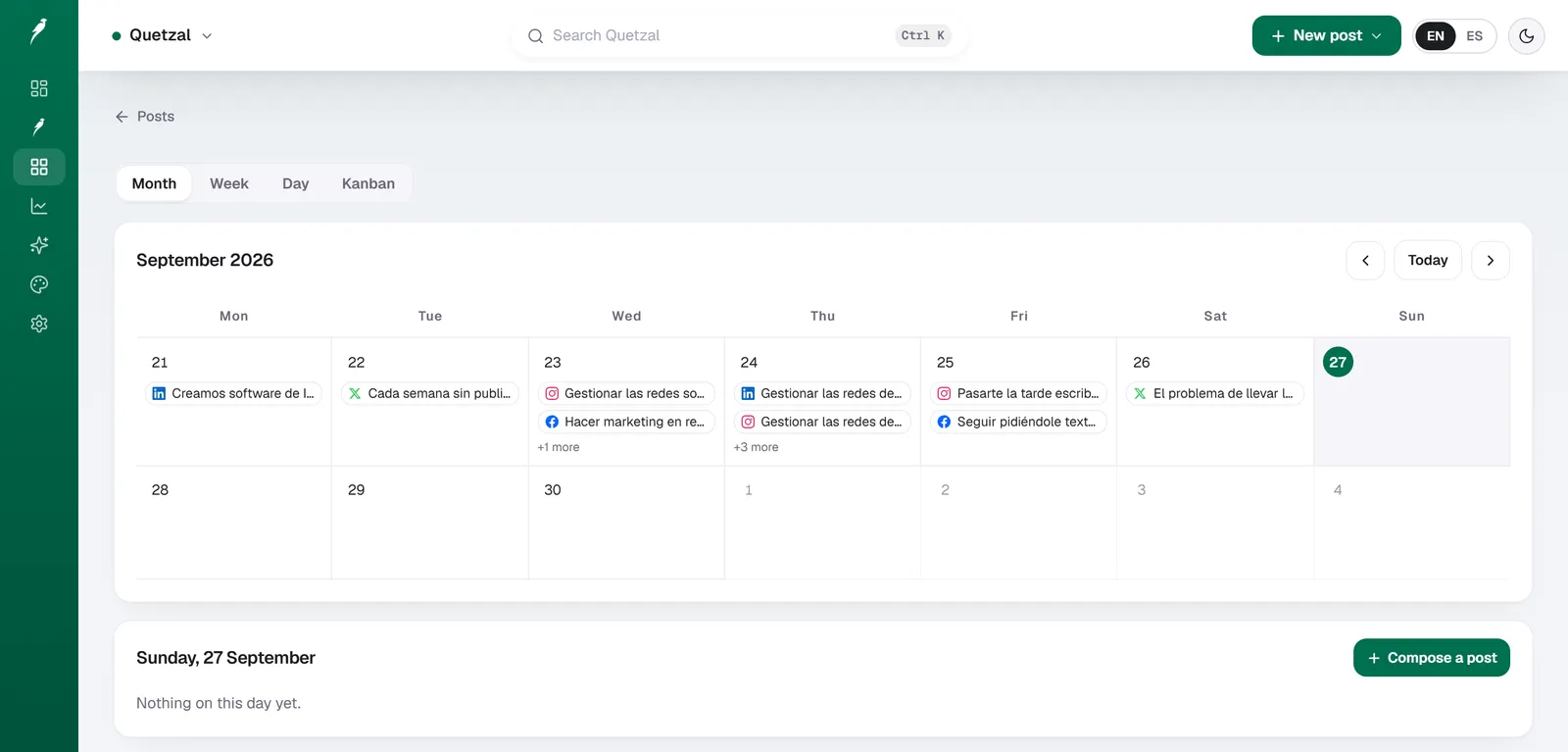
The Quetzal calendar on our own account in September 2026: every post the autopilot planned for LinkedIn, X, Instagram and Facebook, and underneath, the posts still waiting for approval. Our account publishes in Spanish.
Quetzal: AI social media autopilot
Quetzal is an AI social media autopilot built in Málaga, Spain, by two founders.
Unlike traditional schedulers that only publish pre-made media, Quetzal generates designed static posts, ads, carousels, infographics, stories, captions, and end-to-end AI video reels with scripts, voiceovers, and word-synced captions directly in your brand visual identity (logo, palette, fonts, and product photos).
It schedules and publishes across Instagram, Facebook, LinkedIn, TikTok, X, and YouTube, measuring performance at 1, 6, 24, and 72 hours to optimize future content.
It fits businesses and agencies in Spain, the rest of Europe, and the United States that want autonomous social media execution, offering full autopilot or per-post approval workflows, with client workspaces and portfolio discounts starting from the third client.
Pricing starts at 79 EUR per month (or 89 USD per month outside Europe) billed annually, with a 7-day free trial, card required, nothing charged today. As a drawback, Quetzal is a young product with a shorter operating history than established calendar tools.
Core differences between SocialBee and Buffer
To understand how SocialBee and Buffer operate, look at how each system handles a single post after it publishes.
In Buffer, a published post is archived in your history. If you want to share that insight, quote, or asset again three months later, you must manually duplicate the post, re-add it to your queue, or set up an external automation.
Buffer is intentionally lightweight. It acts as a clean conduit between your drafts and your social networks.
In SocialBee, a post belongs to a content category, such as "Case Studies," "Industry Tips," or "Product Updates." You dictate the publishing schedule for the entire category rather than individual posts.
Once a post publishes, SocialBee can recycle it back into the bottom of the category queue, generate post variations to prevent algorithmic penalties, or expire the post on a specific date.
| Feature Area | Quetzal | SocialBee | Buffer |
|---|---|---|---|
| Primary queue style | Autopilot with per-post approval or autonomous publishing | Category-based queues with recycling rules | Chronological slot-based queue |
| Evergreen recycling | n/a | Built-in with variation generators and expirations | Manual re-queuing only |
| Pricing structure | Fixed tiers with annual discounts | Flat tiers based on profile counts | Modular per-channel pricing |
| Entry-level cost | 79 EUR/month (89 USD/month outside Europe) | Paid plans only (7-day free trial) | Permanent free tier (up to 3 channels) |
| Workspace collaboration | Dedicated client workspaces with portfolio discounts | Sub-accounts and client approvals on higher tiers | Shared channels and team permissions on paid tiers |
| Content creation tools | Autonomous static posts, carousels, copy, and AI video reels | AI caption prompts and Canva integration | AI Assistant for rewrites and ideas |
| Analytics scope | Measures at 1, 6, 24, and 72 hours to refine future content | Category performance, post metrics, best times | Channel-level engagement, post metrics, custom reports |
Source: SocialBee pricing and Buffer pricing, 2026.
This fundamental mechanical difference changes who each tool serves best. Buffer works best for operators who create custom, timely posts week by week. SocialBee works best for marketers managing content libraries who want to ensure specific themes run consistently without continuous manual scheduling.
Pricing models compared: Per-channel vs bundled tiers
The financial models of SocialBee and Buffer scale along entirely different axes.
Buffer uses a modular, per-channel pricing model verified on the Buffer pricing page:
- Free: Up to 3 channels, 10 scheduled posts per channel queue, basic planning tools.
- Essentials: Approximately 6 USD per channel per month billed annually (or 8 USD billed monthly), with unlimited queues, engagement features, and analytics.
- Team: Approximately 12 USD per channel per month billed annually (or 15 USD billed monthly), adding unlimited team members and approval workflows.
- Agency: Approximately 120 USD for 10 channels billed annually, with custom client access permissions.
This structure makes Buffer uniquely affordable for a business running only two or three profiles. A boutique consulting practice running one LinkedIn page and one X account can access professional analytics and scheduling on Buffer Essentials for around 12 USD per month.
SocialBee rejects the per-channel model in favor of bundled profile tiers verified on the SocialBee pricing page:
- Bootstrap: 29 USD per month (or 24.20 USD billed annually), supporting up to 5 social profiles and 1 workspace.
- Pro: 49 USD per month (or 40.80 USD billed annually), supporting up to 10 social profiles and 1 workspace.
- Pro50: 99 USD per month (or 82.50 USD billed annually), supporting up to 25 social profiles and 5 workspaces.
SocialBee has no permanent free tier, offering a 14-day trial instead. However, for a business managing five or more accounts (for example, Instagram, Facebook, LinkedIn Company, LinkedIn Personal, and X), SocialBee's Bootstrap tier often works out to a lower total cost than Buffer Essentials.
If your workflow requires team permissions, Buffer charges its Team rate on every single connected channel, which causes costs to rise quickly as you expand profiles.
Evergreen recycling: SocialBee's standout mechanic
SocialBee's primary competitive advantage is its category-based recycling engine.
Social platforms reward consistency, but drafting unique content daily across multiple networks is resource-intensive. SocialBee addresses this with three specific settings within every content category:
- Re-queueing: When active, a post moves to the end of the category line after publishing. If your "Industry Knowledge" category contains 20 posts and publishes twice a week, each post reappears roughly every ten weeks.
- Post variations: Major networks, particularly X and LinkedIn, discourage or penalize publishing identical text multiple times. SocialBee lets you store multiple caption variations under a single post asset, rotating them sequentially.
- Expiration dates: You can set posts to expire after a certain number of shares or on a set calendar date. This prevents limited-time promotions or seasonal announcements from circulating indefinitely.
Buffer deliberately avoids automated evergreen recycling. Buffer's stance prioritizes contextual, chronological social posting, requiring users to review what goes live. For teams that want an alternative with deep analytics instead of recycling, our guide on Metricool alternative options breaks down how analytics-led dashboards compare with pure schedulers.
Where traditional schedulers leave a operational gap
Both SocialBee and Buffer streamline content distribution. Yet both tools present the exact same operational assumption: your team already has finished assets ready to upload.
Schedulers assume you have a graphic designer producing carousels, a copywriter drafting hooks, and a video editor cutting vertical clips. You must log into Canva, Figma, or a generative tool, export the files, import them into the scheduler, write captions, assign links, and organize dates.
If you manage multiple brands or lack internal creative support, the scheduling queue simply becomes an empty calendar you struggle to fill.
If your real bottleneck is producing assets rather than scheduling them, you can test how Quetzal builds a week of branded posts through the free interactive demo without setting up an account.
Generative platforms have emerged to address this production deficit, as outlined in our analysis of Predis.ai alternatives. Rather than functioning solely as publishing calendars, platforms like Quetzal act as an AI social media autopilot.
Built in Málaga, Spain, by two founders, Quetzal does not wait for you to upload finished graphics. It generates designed static posts, ads, carousels, infographics, stories, and captions directly within your brand identity (using your logo, palette, fonts, and product photography).
From there, Quetzal schedules and publishes across Instagram, Facebook, LinkedIn, TikTok, X, and YouTube, measuring every post at 1, 6, 24, and 72 hours to refine future outputs. For teams producing vertical video, Quetzal also generates end-to-end AI video reels with scripts, AI voiceovers, word-synced captions, and edited renders.
This eliminates the gap between asset creation and multi-channel publishing.
Platform support and publishing reliability
When evaluating social media management tools, publishing reliability across different content formats determines daily satisfaction.
| Network & Format | Quetzal Capabilities | SocialBee Capabilities | Buffer Capabilities |
|---|---|---|---|
| Instagram Reels & Carousels | Direct publishing (generates carousels, stories, reels) | Direct publishing via API | Direct publishing via API |
| LinkedIn Personal & Company | Supported | Supported (PDF carousels, video, text) | Supported (PDF carousels, video, text) |
| TikTok & YouTube Shorts | Direct video publishing (generates AI video reels) | Direct video publishing | Direct video publishing |
| Threads & Bluesky | n/a | Direct publishing available | Direct publishing available |
| First-comment scheduling | n/a | Available on Instagram and LinkedIn | Available on Instagram, LinkedIn, and Facebook |
| RSS feed ingestion | n/a | Direct feed-to-category posting | Content inbox for manual queueing |
Source: Buffer and SocialBee feature specifications, 2026.
Buffer was an early adopter of direct publishing for complex formats like Instagram multi-image carousels and LinkedIn PDF documents. Its interface remains one of the cleanest execution environments for composing platform-specific metadata, such as adding a first comment with hashtags or tagging accounts on images.
Buffer also supports niche and decentralized platforms quickly, having introduced smooth integrations for Threads and Bluesky.
SocialBee matches Buffer on standard API publishing capabilities, but adds automated ingestion mechanics. Its RSS feed integration allows you to connect a company blog or industry news feed directly to an approval queue or publishing category.
You can set rules such as "add all new blog posts to the Articles category as drafts," allowing your team to review and schedule fresh website content with minimal data entry.
Content creation and AI drafting tools
Both platforms have incorporated artificial intelligence to assist users with blank-page syndrome, though their implementations reflect their general design philosophies.
Buffer includes an AI Assistant accessible directly inside the composer. Its focus is micro-editing:
- Shortening long drafts for platforms with lower character limits.
- Rewriting a single base update to suit different network tones (for example, formal for LinkedIn, conversational for Threads).
- Generating alternative hooks or extracting summaries from pasted articles.
SocialBee's AI generator operates at both the post level and the campaign level. Beyond single caption rewrites, SocialBee offers prompts to map out weekly category schedules, generate batches of post variations, and suggest topic categories based on your industry.
SocialBee also provides a tighter two-way integration with Canva, letting you edit graphic assets inside its modal window without leaving your content tab.
However, neither tool generates finished visual layouts, multi-slide educational carousels, or rendered video assets automatically. They draft text and host external media files. Teams that want complete multi-format execution often evaluate specialized tools like those covered in our review of Buffer alternatives.
Workspaces and agency collaboration
If you manage social channels for external clients or separate internal business units, how a tool handles workspace isolation is vital.
Buffer handles agency workflows through its Team and Agency tiers. On these plans, you can invite team members and set permissions at the channel level.
For instance, an intern might have "Draft" access to a client's Instagram, while a manager has "Full Publishing" access. However, because Buffer prices per channel, adding multiple brands with 5-6 channels each can become costly.
The dedicated Agency plan caps base costs by bundling 10 channels for roughly 120 USD monthly, with discounted add-on channels.
SocialBee structures multi-client work through discrete Workspaces, available on the Pro50 tier or as add-ons. Each workspace acts as an independent silo with its own categories, queues, connected profiles, and analytics.
Clients can be invited directly to their designated workspace to review drafts and approve upcoming categories without viewing assets from other brands. For agencies running 5 to 10 accounts across a handful of small clients, SocialBee's bundled tier structure often proves easier to budget than per-channel billing.
For agencies seeking hands-off production across multiple accounts, Quetzal structures agency operations with dedicated per-client workspaces and portfolio discounts starting from the third client, running either fully autonomously under brand guidelines or with per-post approval.
Which tool should you choose in 2026?
Both SocialBee and Buffer are mature, reliable publishing engines. Selecting the right one depends entirely on your content library and channel footprint.
Choose Quetzal if:
- You want the content created for you, not just scheduled. Quetzal generates your static posts, carousels, captions, and AI video reels in your brand visual identity and publishes across six platforms.
- You want an evolving social presence that improves over time. Quetzal tracks post performance at 1, 6, 24, and 72 hours, applying performance insights to future content.
- You want the option for full autopilot. You can let Quetzal run autonomously under your brand guidelines or retain control by approving each post before publishing.
Choose Buffer if:
- You manage fewer than 4 social channels. Buffer's free tier or its affordable per-channel Essentials plan gives you clean, modern scheduling without paying for bundled profiles you do not use.
- Every post you publish is unique and timely. If your social strategy focuses on real-time company updates, spontaneous commentary, and custom weekly assets, SocialBee's recycling features will go unused.
- You value interface simplicity. Buffer remains one of the most intuitive, clutter-free software tools in the marketing technology sector.
Choose SocialBee if:
- You manage 5 to 10+ profiles across multiple platforms. Bundled pricing on the Bootstrap or Pro tiers is often more economical than paying Buffer's per-channel fee across a broad footprint.
- You rely heavily on evergreen content. If your marketing relies on recycling blog posts, evergreen product tips, quotes, and customer reviews on a structured loop, SocialBee's category engine saves hours of manual rescheduling.
- You want automated feed distribution. SocialBee's RSS-to-category engine and variation generator make it simpler to maintain an active social presence from existing web assets.
Test an automated workflow for your brand
If neither manual category queues nor per-channel scheduling solves your content bottleneck, Quetzal handles the entire creation and distribution workflow.
It generates designed carousels, static graphics, and complete AI video reels aligned with your visual identity, publishes across six major networks, and measures post metrics at 1, 6, 24, and 72 hours to refine future content.
You can manage everything through per-post approval or full autopilot starting from 79 EUR (89 USD) per month by visiting the free interactive demo.
FAQ
Does Buffer have a free plan in 2026?
Yes, Buffer offers a permanent free tier that allows you to connect up to three social channels and hold up to ten scheduled posts in each queue simultaneously. It includes basic planning tools and multi-platform publishing, but excludes advanced analytics, engagement tools, and team collaboration features found on the Buffer pricing tiers.
Can SocialBee automatically repost content to Instagram and LinkedIn?
SocialBee can re-queue posts within specified categories to publish on a repeating schedule to Instagram and LinkedIn. However, to avoid algorithmic duplication penalties on professional networks like LinkedIn and X, you should utilize SocialBee's post variation feature to alternate captions and media assets rather than repeatedly publishing identical updates.
Which platform is cheaper for an agency managing multiple clients?
The most cost-effective option depends on your total channel count. Buffer charges per connected channel, which can lead to higher monthly expenses if you manage five or more profiles per client.
SocialBee bundles profile allowances into tiers like Pro50 on the SocialBee pricing page, making it generally more cost-predictable for agencies handling multiple channels across distinct workspaces.
Do Buffer or SocialBee create social media graphics and video reels automatically?
Neither Buffer nor SocialBee creates graphic layouts or edited video reels on their own. Both platforms provide AI text assistants for drafting and refining captions, alongside Canva integrations for manual design work, but users must supply their own finished image and video files.
Autonomous creation of branded graphics, carousels, and video reels requires an AI content autopilot like Quetzal.
Sources
- Buffer pricing: https://buffer.com/pricing
- SocialBee pricing: https://socialbee.com/pricing/