Comparison · September 20, 2026
Tailwind vs Later: Which Scheduler Fits Your Workflow
Tailwind vs Later comparison: analyze Pinterest automation, Instagram visual planning, pricing, and workflows to choose the right scheduler for 2026.
 By Sergio · Co-founder of Quetzal

Tailwind is built for Pinterest automation, visual search traffic, and batch pin scheduling, while Later focuses on visual Instagram grid planning, asset management, and link-in-bio conversions. Choose Tailwind if Pinterest drives your sales pipeline; pick Later if your primary growth channel is an aesthetic Instagram feed or a multi-platform visual calendar.
If your main bottleneck is producing the creative assets rather than just organizing a calendar, Quetzal acts as an AI social media autopilot that creates designed posts, carousels, and video reels in your brand identity and publishes them across six networks.
You can try it free on your own website to generate a full week of ready-to-publish content in three minutes.
Both platforms launched during the initial rise of visual social marketing, but they evolved to solve fundamentally different distribution problems. Understanding how their workflows, timing algorithms, and channel priorities diverge in 2026 is critical before locking your social media calendar into either platform.
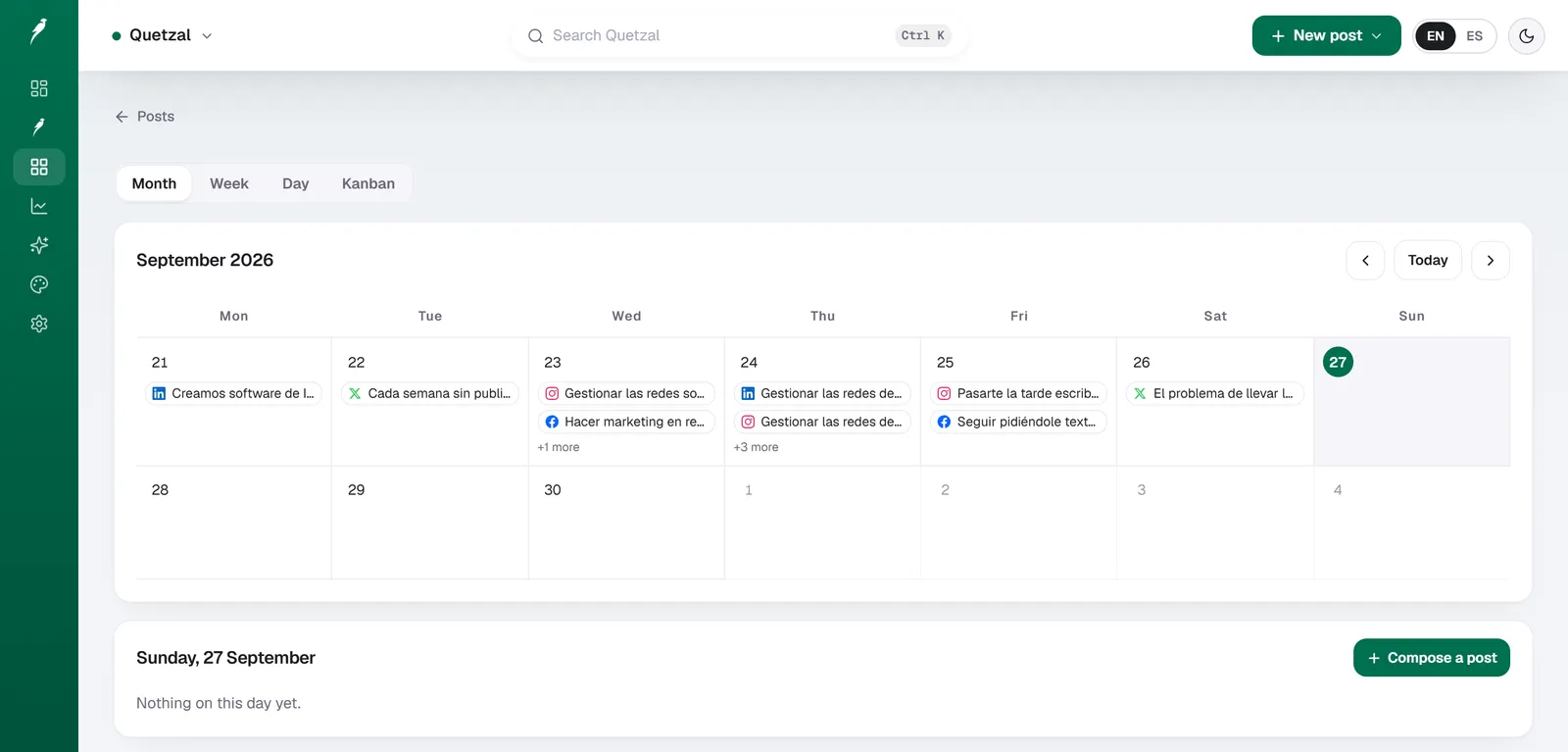
The Quetzal calendar on our own account in September 2026: every post the autopilot planned for LinkedIn, X, Instagram and Facebook, and underneath, the posts still waiting for approval. Our account publishes in Spanish.
The fundamental divide: Pinterest search versus Instagram curation
The core difference between Tailwind and Later stems from the platforms they were originally engineered to master. Tailwind began as a specialized tool for Pinterest, a visual search engine where content life spans are measured in months rather than hours.
Later started as Latergramme, an early Instagram scheduling application designed around the chronological grid, aesthetic consistency, and mobile publishing notifications.
Because Pinterest relies on outbound links and keyword search rather than social conversations, Tailwind prioritizes volume, interval scheduling, and automated graphic generation. Its system is engineered to help bloggers, affiliate marketers, and e-commerce stores push dozens of fresh pin variations to multiple relevant boards without triggering spam filters.
Later, by contrast, approaches social media as a brand storefront. The user experience centers on a visual media library where you upload photography, preview how a post will look on your live Instagram profile, and map links to clickable grid images.
Many brands discover that selecting between these tools highlights a larger operational hurdle: both tools assume you already possess a full library of edited photos, designed graphics, and approved copy. Teams finding themselves overwhelmed by manual design and planning often test a free interactive demo of autonomous generation engines to see how automated production compares to manual scheduling calendars.
Scheduling workflows: batch distribution versus visual grid planning
The daily workflow inside each tool reflects its underlying philosophy. When you work inside Later, the interface is split between your media storage on the left and a calendar grid on the right.
Later's primary scheduling steps require you to:
- Upload finished media assets into the centralized library.
- Label and filter assets using media tags or usage statuses.
- Drag assets directly onto a weekly or monthly calendar view.
- Rearrange posts inside the Visual Instagram Planner to verify that colors, compositions, and post formats harmonize across your feed.
- Configure your link-in-bio destination page so the post becomes shoppable or clickable upon publication.
Tailwind approaches scheduling through queues and recurring distribution rules. Instead of manually choosing dates and times for each post, Tailwind utilizes a SmartSchedule system. The platform analyzes your audience's historical engagement patterns on Pinterest and pre-populates your calendar with recommended time slots.
When you add content to Tailwind, the process focuses on batch distribution:
- You select a primary graphic or generate variations using Tailwind Create.
- You assign the pin to multiple relevant personal or group boards.
- You set an interval, instructing Tailwind to drip the pin to Board A on Monday, Board B on Thursday, and Board C the following week.
- The posts populate the queue automatically according to your predefined SmartSchedule time slots.
If your strategy relies heavily on Instagram aesthetics or cross-posting identical visual assets across TikTok and Facebook, Later feels natural and intuitive. If your strategy focuses on driving evergreen referral clicks from Pinterest searches, Tailwind's interval scheduler saves dozens of hours of manual calendar management.
Platform support and channel strengths
While both tools now support multi-channel publishing, their feature depth varies significantly depending on the network.
Later connects to:
- Instagram (Feeds, Stories, Reels, Carousels)
- Facebook (Pages)
- TikTok
- LinkedIn (Company Pages and Personal Profiles)
- YouTube (Shorts)
- X (formerly Twitter)
Tailwind connects to:
Later holds a distinct advantage for teams managing an omnichannel presence. Its integration with TikTok, YouTube Shorts, and LinkedIn allows multi-platform creators to centralize visual video distribution in one location.
For marketing teams evaluating non-enterprise multi-platform tools, comparing options like those featured in our guide to Metricool alternatives can reveal whether a general scheduler or a visual specialist fits your stack better.
Tailwind intentionally limits its primary network integrations to focus heavily on Pinterest and the Meta ecosystem. In place of adding professional networks like LinkedIn, Tailwind built adjacent marketing features, including an email marketing campaign builder and automated social design templates.
| Feature Area | Quetzal | Tailwind | Later |
|---|---|---|---|
| Primary Strength | Autonomous content creation, branded design, and multi-platform publishing | Pinterest search distribution & pin loops | Instagram visual feed planning & Linkin.bio |
| Supported Networks | Instagram, Facebook, LinkedIn, TikTok, X, YouTube | Pinterest, Instagram, Facebook | Instagram, Facebook, TikTok, Pinterest, LinkedIn, YouTube, X |
| Visual Feed Planner | n/a | Basic 9-grid preview for Instagram | Advanced drag-and-drop live grid planner |
| Content Creation | End-to-end static posts, carousels, stories, captions, infographics, and AI video reels in brand identity | Tailwind Create (automated template layout) | Basic media editing, text crops, AI captions |
| Link-in-Bio Tool | n/a | Smart.bio | Linkin.bio |
| Timing Engine | Measures posts at 1, 6, 24, and 72 hours to optimize future content | SmartSchedule queue for boards | Audience activity analytics for optimal post times |
| Email Marketing | n/a | Built-in email newsletter creator | Not supported |
Source: Later pricing, 2026; platform documentation.
Timing algorithms and audience optimization
Timing impacts distribution differently depending on whether an algorithm prioritizes immediate engagement or long-term indexing.
Later evaluates profile history to calculate optimal publishing windows. According to research on the best time to post on Instagram published by Later, optimal engagement windows fluctuate depending on localized user habits, day of the week, and content format.
Later highlights these peak activity windows directly on your scheduling calendar, allowing you to drag posts into the slots where your followers are most active.
Tailwind's SmartSchedule focuses on category-level pin consumption. Because Pinterest users frequently browse by topic or search queries during evening and weekend planning sessions, Tailwind spaces out queue slots to maximize impressions across changing time zones.
For brands operating across both networks, this reveals an important operational rule: optimizing for real-time engagement on Instagram requires precise timing within a 2-hour window, whereas optimizing for Pinterest requires consistent, steady pin volume distributed over several weeks.
Content creation and asset management
A major point of friction for modern social media managers is the gap between scheduling a calendar and producing the creative assets required to fill it.
Later positions itself as a media repository. Its strength lies in handling user-generated content (UGC), team asset libraries, and media tags.
You can search your media library by tag, filter out assets that have already been published, and collect Instagram posts where your account was mentioned. However, Later expects your creative team to upload fully rendered, finished images and videos.
Beyond basic cropping, text additions, and an AI caption assistant, it does not design your visual posts.
Tailwind addresses the asset deficit directly through Tailwind Create. Users upload a raw photo, input their brand colors, select fonts, and add a destination URL.
Tailwind Create automatically generates hundreds of pin and social graphic variations with pre-set typography and layouts. You can choose the designs you like, customize the text, and send them directly to your draft queue without exporting files to external design software.
While Tailwind Create simplifies basic graphic layouts, teams in 2026 increasingly face the demand for short-form video reels, multi-slide educational carousels, and platform-specific native copy. Those exploring design-first scheduling workflows often review tools covered in our breakdown of Predis.ai alternatives to see how automated creative production functions across broader channel sets.
Pricing models and plan restrictions in 2026
Both tools use tiered software-as-a-service pricing based on account counts, user seats, and monthly publishing volume.
Quetzal structures its plans around automated generation and multi-platform publishing:
- Starter: 79 EUR per month (89 USD outside Europe) billed annually.
- Growth: 199 EUR per month (229 USD outside Europe) billed annually.
- Pro: 449 EUR per month (499 USD outside Europe) billed annually.
- Ultra: 899 EUR per month (999 USD outside Europe) billed annually. All plans include a 7-day free trial, card required, nothing charged today.
Later organizes its subscriptions around "Social Sets" (a bundle of one profile per supported social platform) and user seats. According to Later pricing, plans are structured to support single operators up to multi-brand agencies:
- Starter: Designed for solopreneurs managing 1 Social Set, with post limits per profile and single-user access.
- Growth: Designed for growing small teams, including additional social sets, higher post allowances, team collaboration tools, and access to historical analytics.
- Advanced: Built for agencies and mid-market marketing departments requiring multiple user seats, expanded social sets, and live support routing.
Tailwind structures its plans around monthly post allowances, Pinterest account seats, and Tailwind Create generation credits:
- Free Tier: Offers a limited number of posts per month across Pinterest, Instagram, and Facebook to test queue features.
- Pro: Increases monthly pin limits, provides access to multiple board lists, and includes base-level design generation credits.
- Advanced / Max: Designed for active e-commerce brands, high-volume affiliate marketers, and small agencies managing multiple client Pinterest profiles, with unlimited scheduling and expanded community access.
If your primary goal is managing five distinct social networks for a single consumer brand, Later provides better economic value because a single Social Set covers Instagram, Facebook, TikTok, Pinterest, LinkedIn, and YouTube.
If your operation relies on publishing 30 to 50 pins daily across dozens of boards to drive blog traffic, Tailwind's Pinterest volume makes it the more cost-effective option.
When to choose Quetzal, when to choose Tailwind, and when to choose Later
Selecting the right tool requires evaluating where your audience spends attention and how your creative assets are produced.
Choose Quetzal if:
- You need the platform to produce content, not just schedule it: Quetzal creates designed static posts, carousels, stories, infographics, captions, and AI video reels in your brand identity (matching your logo, palette, fonts, and photos).
- You want automated multi-channel publishing and continuous improvement: It publishes across Instagram, Facebook, LinkedIn, TikTok, X, and YouTube, measuring posts at 1, 6, 24, and 72 hours to optimize future output.
- You want control with optional automation: You can run fully autonomously under standing brand rules or approve each post individually.
- You want clear pricing with a trial: Entry plans start at 79 EUR (89 USD) per month with a 7-day free trial, card required, nothing charged today. As an honest drawback, Quetzal is a young product.
Choose Tailwind if:
- Pinterest is your primary customer acquisition channel: If you operate an e-commerce shop, recipe site, lifestyle blog, or DIY tutorial hub, Pinterest search traffic provides higher compounding ROI than transient feed posts.
- You rely on batch distribution: You prefer setting up content queues weeks in advance using interval schedules and recurring board lists.
- You need automated graphic templates: You do not have a full-time graphic designer and want basic Pinterest layouts created directly inside your scheduler.
- You want integrated email marketing: You appreciate having an email builder and pin scheduler housed within the same software subscription.
Choose Later if:
- Instagram is your central visual showcase: You care deeply about color curation, feed aesthetics, and seeing an exact visual preview of your profile before posts go live.
- You manage an omnichannel video presence: You schedule vertical videos across Instagram Reels, TikTok, and YouTube Shorts from a single dashboard.
- You need a robust link-in-bio hub: You want to turn your visual posts into an interactive, shoppable landing page using Linkin.bio.
- You work with user-generated content: Your marketing workflow centers on discovering, tagging, and re-sharing visual media created by your customer community.
When to look beyond manual schedulers
Both Tailwind and Later are fundamentally scheduling dashboards: they provide calendars, queues, and analytics, but they rely entirely on your team to brainstorm topics, design finished slides, produce short-form video reels, write copy, and manually populate the calendar week after week.
For organizations that lack dedicated social media staff or agency retainers, scheduling software solves only half the problem. This structural gap is why autonomous systems like Quetzal were developed.
Built in Málaga, Spain, by two founders, Quetzal operates as an AI social media autopilot rather than a passive calendar. Instead of requiring you to drag assets into empty time slots, Quetzal generates designed static posts, ads, multi-slide carousels, infographics, stories, and platform-tailored captions natively authored in English and Spanish.
Everything is generated within the brand's own visual identity (matching exact palettes, logos, typography, and product imagery). Quetzal schedules and publishes across Instagram, Facebook, LinkedIn, TikTok, X, and YouTube, measuring post engagement at 1, 6, 24, and 72 hours to continuously refine the next week's editorial output.
It also generates complete AI video reels end to end, handling the script, AI voiceover, word-synced subtitles, and final video render. Businesses can allow the autopilot to post autonomously under strict standing brand rules or require manual per-post review (the customer chooses).
For teams spending 15 hours a week simply keeping queues filled, transitioning from manual scheduling software to an autonomous pipeline represents a fundamental shift in efficiency.
Evaluating your content production pipeline
Instead of spending hours designing graphics and organizing empty scheduling queues, Quetzal creates on-brand posts, carousels, and video reels using your exact palette, fonts, and product photos.
It publishes across six major social networks while adapting each post to its specific platform, and measures performance at 1, 6, 24, and 72 hours so your content strategy improves every week.
You can keep full control with per-post approvals or let it run autonomously, and see how it works for your brand by taking the free Quetzal demo.
FAQ
Can Tailwind schedule directly to Instagram without a mobile notification?
Yes. Tailwind uses official platform APIs to auto-publish single images, carousels, and video posts directly to Instagram business accounts. Certain personal accounts or specialized formats may still require push notification workflows depending on Meta API permissions.
Does Later support Pinterest video pins?
Yes. Later supports scheduling both static image pins and video pins to Pinterest boards. However, it lacks Tailwind's advanced interval scheduling engine, meaning you must manually select the date and time for each individual board distribution.
Which platform is better for e-commerce stores?
Tailwind is generally more effective for e-commerce brands whose products perform well on visual search engines (home decor, apparel, gifts), due to its Pinterest SEO tools. Later is preferable for direct-to-consumer lifestyle brands that drive sales through Instagram influencer tagging, TikTok virality, and shoppable link-in-bio storefronts.
Do Tailwind and Later create social media posts automatically?
Neither platform creates finished posts autonomously. Tailwind offers Tailwind Create to generate basic layout templates from your uploaded photos, and Later provides AI text assistance for drafting captions. Both tools require you to manually assemble assets, write final post copy, approve layouts, and arrange them on the calendar.
Sources
- Later: best time to post on Instagram: https://later.com/blog/best-time-to-post-on-instagram/
- Later pricing: https://later.com/pricing/