Approvals & multi-brand
A social media approval workflow built for multi-brand teams and agencies
A social media approval workflow holds every planned post, carousel, story and reel until your team or client clicks approve, before anything publishes. Quetzal gives each brand its own workspace, brand kit and approval queue, plus a signed client approval link that works with no account. Switch any workspace between strict review and autopilot whenever you choose.
7 days free. No card needed, €0 today. You approve every post before it goes out, unless you switch that off.
Your week, before and after
How it works
- 1
Create one workspace per brand
Paste each brand's website URL once. Quetzal builds an isolated brand kit with its logo, palette, fonts, voice and product photos.
- 2
Review in the queue or send a client link
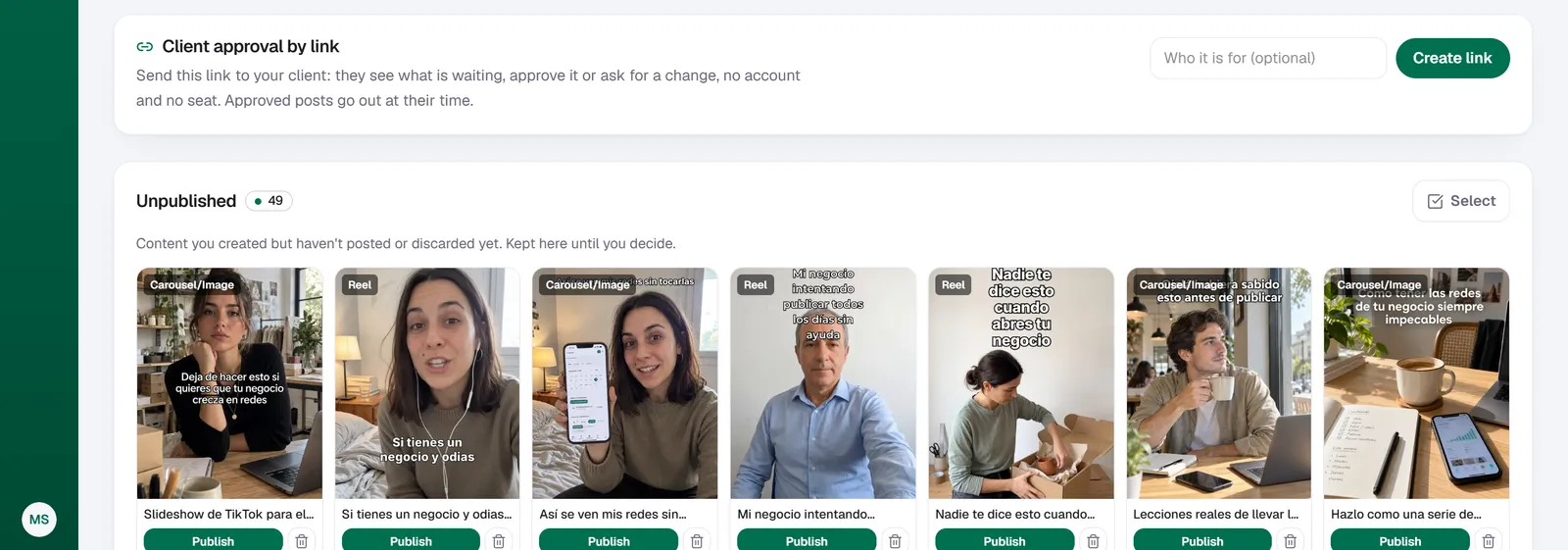
Every planned post, carousel, story and reel waits in review mode. Share a signed approval link so clients or store managers approve without creating an account.
- 3
Publish on schedule and migrate with zero downtime
Connect Instagram, Facebook, LinkedIn, TikTok, X and YouTube via official logins. Run Quetzal beside your current scheduler for one week before cancelling the old tool.
How strict approval mode works for agencies, franchises and retail
When a brand has legal, franchise or executive sign-off rules, nothing should go live unreviewed. In Quetzal, review mode locks every piece in the approval queue until an authorized reviewer approves or edits it. Each brand lives in its own workspace so assets, brand rules and connected social accounts never cross between clients or retail banners.
- Dedicated workspace per client or brand with isolated logo, colors, typography, voice and media library.
- Signed client approval links so stakeholders review and approve posts from any browser without creating a login.
- Edit captions, swap uploaded photos or reject a piece in one click before it enters the publishing calendar.
- Switch any workspace between strict approval mode and autopilot whenever a client is ready.
Onboarding timeline: from website URL to first approved week
Most teams avoid switching tools because setup drags on for weeks. Quetzal starts from what already exists on each brand's website so your first calendar arrives quickly.
- Step 1: Paste the brand URL to extract services, tone, visual palette and brand rules into an editable brand kit.
- Step 2: Upload real product, store or team photos and set standing dos and don'ts for that brand.
- Step 3: Connect official social accounts for Instagram, Facebook, LinkedIn, TikTok, X and YouTube.
- Step 4: Review the first generated week in the approval queue, adjust anything you want and approve for publishing.
How to migrate from Metricool, Hootsuite, Buffer or Sprout Social without downtime
You do not need a risky cutover night. Start your 7-day free trial with no card required while your existing scheduler finishes publishing the current week's queue. Connect the brand's channels in Quetzal, verify the first approved week of generated posts side by side, and only cancel your previous subscription once the new rhythm is live.
Built for European and US teams working in multiple languages
Quetzal writes natively in English (US or UK), Spanish (Spain or Mexico), French, German, Italian, Dutch and Portuguese without machine-translating a single draft. Multi-brand teams and agencies receive portfolio discounts as their client roster grows, with EU data hosting and hands-on setup support from the founders.
Approval schedulers or Quetzal
Questions people ask
Can anything publish without approval in review mode?
No. While a workspace is set to review mode, every post, carousel, story and reel stays in the approval queue until you or your client approves it.
Do clients or store managers need a Quetzal account to approve posts?
No. You can send a signed approval link for that workspace so a client or local manager can review, approve or reject pieces directly with no login.
How does Quetzal keep multiple brands or retail chains separated?
Each brand runs in its own workspace with its own brand kit, photo library, guidelines, connected social profiles and approval queue, so content never mixes across brands.
Can we use strict approval for one client and autopilot for another?
Yes. Approval settings live at the workspace level, so regulated or new clients can stay on strict manual review while mature accounts run on autopilot.
How long does it take to migrate from Metricool, Hootsuite or Buffer?
You can connect channels and generate a brand's first week right from your website, then run Quetzal alongside your current scheduler during the 7-day free trial with no card and nothing charged today before cancelling the old tool.
Does Quetzal charge per approver or per team seat?
No. Quetzal is priced per brand workspace rather than per user seat, and agency accounts receive portfolio discounts automatically as you add more client workspaces.
Which social networks are supported in the approval queue?
Instagram, Facebook, LinkedIn, TikTok, X and YouTube. Each piece is adapted to the format and limits of the connected network before entering the queue.
What happens if our brand guidelines change mid-month?
Update the workspace's brand kit or standing instructions once, and every new post generated from that point forward follows the updated tone, rules and visual identity.
See your own week before you decide
Start the free trial, or type your website in the demo and watch a week being made for your brand.
7 days free. No card needed, €0 today.